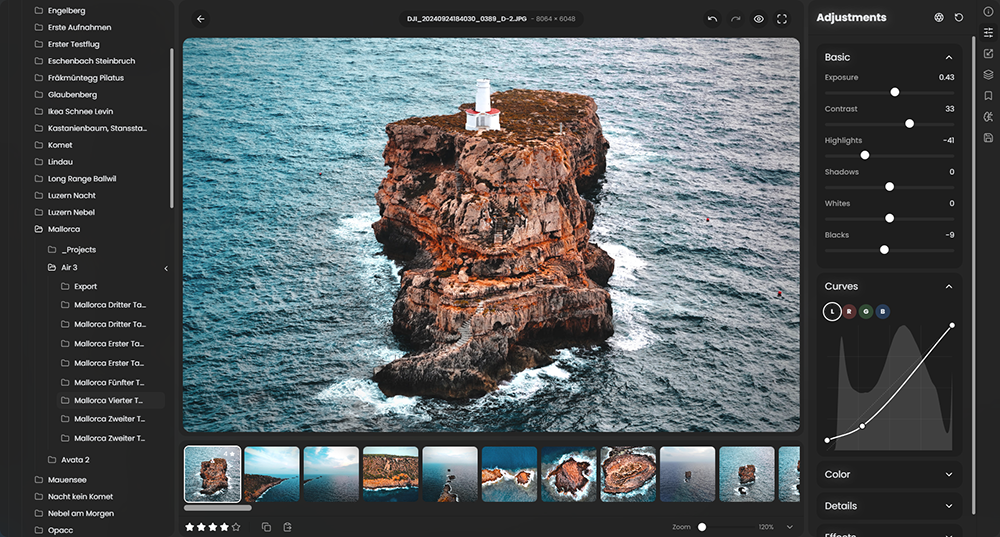
 RapidRAW is een modern, krachtig opensource alternatief voor Adobe Lightroom. Het levert een eenvoudige en mooie bewerkingservaring in een lichtgewicht pakket van ongeveer 20MB voor Windows, macOS en Linux. Het wordt ontwikkeld door een 18-jarige Zwitser, die hier juli 2025 mee is begonnen als een persoonlijke uitdaging met als doel om een krachtig programma te creëren voor zijn eigen fotografieworkflow. RapidRAW is gebouwd met een Rust-backend en een React/TypeScript-frontend, verpakt met Tauri om hem licht te houden. In versie 1.5.0 zijn de volgende veranderingen en verbeteringen in aangebracht:
RapidRAW v1.5.0 - Film Negatives, HDR Merge, Tonal Improvements & More!This update is all about workflow efficiency and core processing quality. I’ve implemented Automatic Negative Conversion and HDR Merge to speed up your initial processing steps. On the editing side, the tonal adjustment engine has been overhauled to respect image detail, preventing the "muddy" look that can happen when pushing shadows too far. There are also new AI organizational tools, full XMP metadata syncing, and a long list of stability fixes.
Automatic Negative ConversionI’ve added a new productivity tool to accurately invert film scans with a single click. This feature automatically analyzes the film base and inverts the colors to a positive image.
HDR MergeYou can now merge multiple exposures into a single High Dynamic Range image directly within the app. This allows you to combine bracketed shots to recover highlights and shadows that a single RAW file couldn't capture. The result is a image file containing the full dynamic range of all 3 images, ready for editing.
Detail-Aware Tonal AdjustmentsI have significantly improved how basic tonal adjustments (like Shadows/Highlights) interact with image textures. Previously, these adjustments didn't distinguish well between large tonal areas and fine local contrast, which could lead to flat or "washed out" textures when recovering shadows. I’ve now implemented tonal detail masks into the pipeline. The engine now accurately targets luminance levels while protecting local contrast and fine details.
Custom AI TaggingYou can now define your own list of keywords, and the AI will analyze your photos and apply the most relevant tags automatically. This is great for culling large shoots. For example, if you input "day, night, indoor," the AI will sort your library accordingly, allowing you to filter by specific scenes instantly.
XMP Metadata Read/SyncThe app now supports full XMP sidecar synchronization. This means you can read and write metadata (Ratings, Color Labels, and Tags) seamlessly, ensuring compatibility with other photo editors and asset managers. This behavior can be toggled in the settings.
Dropdown HistoryRight-clicking the Undo or Redo button now reveals a dropdown list of your edit history, making it easier to jump back to a specific point in your editing process without mashing
New Composition Guide OverlaysCtrl+Z.I've added several new composition overlays to the crop tool. You can now cycle through various guides (Golden Ratio, Diagonals, etc.) to help nail the framing.
Core Improvements
- Improved Image Canvas: Added single-click zoom, improved state memory (it remembers your previous zoom level), and implemented smoother exponential zooming.
- Performance: Faster, non-blocking fullscreen preview, improved image loading times and optimized live previews.
- Window State: The main window now remembers its size and position between sessions.
- Instant Metadata Loading: Metadata parsing is now significantly faster.
- Brush Tool: You can now draw straight mask lines by holding
Shift+ Click.- Database: Enhanced Lensfun DB parsing and improved lens separation logic.
- Export: Added the ability to export masks as separate image files.
- LineaRAW: Exposed a setting for Linear RAW mode to fix pink casts and color artifacts.
- Bug Fixes: Fixed many, many, many bugs.

:strip_exif()/i/2007866846.png?f=thumbmedium)
/u/26267/60x60.png?f=community)