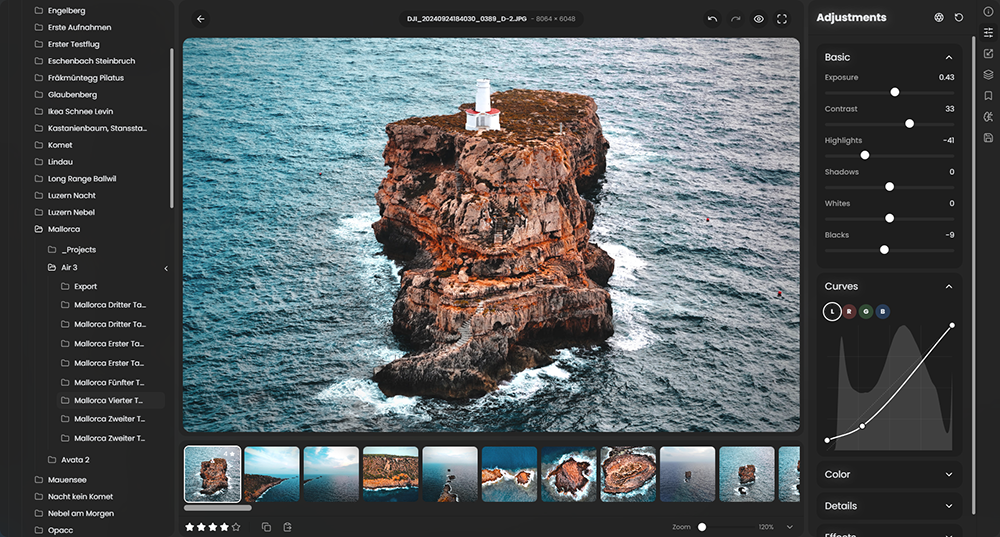
 RapidRAW is een modern, krachtig opensource alternatief voor Adobe Lightroom. Het levert een eenvoudige en mooie bewerkingservaring in een lichtgewicht pakket van ongeveer 20MB voor Windows, macOS en Linux. Het wordt ontwikkeld door een 18-jarige Zwitser, die hier juli 2025 mee is begonnen als een persoonlijke uitdaging met als doel om een krachtig programma te creëren voor zijn eigen fotografieworkflow. RapidRAW is gebouwd met een Rust-backend en een React/TypeScript-frontend, verpakt met Tauri om hem licht te houden. In versie 1.5.5 zijn de volgende veranderingen en verbeteringen in aangebracht:
Parametric CurvesThe new Parametric Curves tool gives you better control over specific tonal ranges. Unlike a traditional tone curve, you can precisely define the affected range, the transition, and the expansion, allowing for much more targeted adjustments to shadows, midtones, and highlights without impacting the rest of the image.
Manual Noise ReductionWhile the AI denoiser is great for a one-click fix, sometimes you need more control. I've added a new Manual Noise Reduction tool with separate sliders for Luminance and Color noise. This allows you to dial in the exact amount of noise reduction you need, preserving maximum detail while cleaning up your images.
Fully Customizable Keyboard ShortcutsYou can now remap actions in RapidRAW to your preferred keyboard shortcut! There is now a dedicated settings panel where you can assign custom keybinds.
EXIF EditingYou can now edit your image’s EXIF metadata directly in the metadata panel. This allows you to update the Author, Copyright, Title, and Comment fields without using a separate application.
Focus ModeSilence the noise and focus on your edit. The new "Focus Mode" auto collapses adjustment sections, leaving only the currently active section open.
Core Improvements
- Faster Library Browsing: The thumbnail generation and request system has been completely optimized (no more memory spikes!). I've introduced dedicated thumbnail workers that build your library previews in the background, making browsing large folders significantly faster.
- Improved Shader Pipeline for Consistent Masking: I've fundamentally changed how adjustments are processed. Instead of applying mask adjustments sequentially on top of each other, the new pipeline now calculates the total influence of all masks and applies a single, unified adjustment from the base image. This results in more consistent and accurate blending, especially with complex, overlapping masks.
- Hint for existing edits: Because of this core change, edits made on images with complex mask stacks in older versions might look different. You may need to do a quick readjustment of your sliders to get the exact same look, but the result will be more predictable going forward!
- Enhanced Exposure Processing: The filmic exposure algorithm has been enhanced for more natural results, and a new tonemapper override option has been added for advanced users.
- Improved Vertical/Mobile UI: The user interface has been significantly improved for use on vertical screens and tablets, making the experience much better on the go.
- Major Backend Refactoring: A significant amount of work went into refactoring the backend for improved stability and performance across the entire application.
- Cropping: Improved the cropping experience by adding dynamic image bounds checks.
- Local Contrast Adjustments: Adjustments such as clarity, structure, and sharpness now deliver higher-quality results without artifacts.
- Batch Editing Fix: Batch editing now correctly respects the copy/paste settings.
- Bug Fixes: As always, I've fixed many bugs and improved the compatibility with the WGPU renderer.

:strip_exif()/i/2007866846.png?f=thumbmedium)
:strip_exif()/u/1131151/crop69f9a900500cb_cropped.webp?f=community)