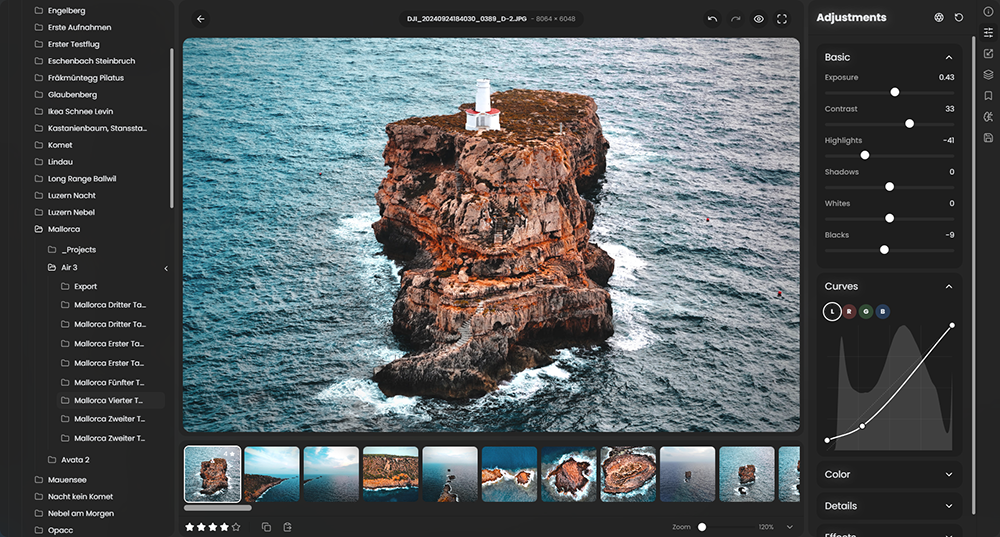
 RapidRAW is een modern, krachtig opensource alternatief voor Adobe Lightroom. Het levert een eenvoudige en mooie bewerkingservaring in een lichtgewicht pakket van ongeveer 20MB voor Windows, macOS en Linux. Het wordt ontwikkeld door een 18-jarige Zwitser, die hier juli 2025 mee is begonnen als een persoonlijke uitdaging met als doel om een krachtig programma te creëren voor zijn eigen fotografieworkflow. RapidRAW is gebouwd met een Rust-backend en een React/TypeScript-frontend, verpakt met Tauri om hem licht te houden. In versie 1.5.3 zijn de volgende veranderingen en verbeteringen in aangebracht:
RapidRAW v1.5.3 - Depth Masks, Smarter Inpainting & Faster Libraries!This update brings depth-based editing and smarter inpainting. I've added depth masking support, which lets you create masks based on distance from the camera. This is useful for things like faking background blur or adding lights that naturally fit into the scene. There's also a new inpainting model that does a much better job at removing objects compared to the previous basic algorithm. On the performance side, I've rewritten the library loading code so it only renders visible thumbnails, making large libraries feel much snappier. ROI rendering also got improved for smoother editing while zoomed in, and you can now pick your preferred quality level for live previews.
Depth MaskingYou can now create masks based on depth. This opens up some nice creative options like faking background blur, adding lights that blend naturally into the scene, or isolating subjects at a certain distance.
Here are some examples. In the first one, I added a bright light coming from the right. In the second, I combined a depth map with a negative linear mask to create a spotlight effect pointing at me.
Quick InpaintingThe new inpainting model does a way better job than the old basic algorithm. It runs locally on your device and doesn't require the RapidRAW-AI-Connector.
Performance Improvements in LibraryI rewrote large parts of the library loading code. The library now only renders thumbnails that are actually visible on screen, so large folders and big libraries should feel a lot snappier. I also added a flat list view as a new thumbnail mode:
ROI RenderingROI rendering got improved quite a bit and you should notice smoother rendering while zoomed in. There is also a new dropdown to select your preferred rendering quality for live previews.
Core Improvements
- Updated keyboard shortcuts for masking, especially for the brush tool
- Color gradient for the temperature / tint slider track
- Improved loading spinner to show actual progress when applying batch adjustments (hover the top area of the library)
- A ton of bug fixes under the hood, too many to list individually ;)

:strip_exif()/i/2007866846.png?f=thumbmedium)
:strip_exif()/u/28363/sine5_17797_064.gif?f=community)
/u/162455/crop5eba4401b916b_cropped.png?f=community)