 Versie 7.0 van WordPress is uitgekomen. Met dit programma, dat onder een GPL-licentie beschikbaar wordt gesteld, is het mogelijk om een website of blog op te zetten en bij te houden. WordPress is eenvoudig in te stellen en kan binnen vijf minuten draaien mits er al een server met PHP en MySQL beschikbaar is. Er zijn mogelijkheden om de functionaliteit van WordPress verder uit te breiden met plug-ins en het uiterlijk met thema's aan te passen. De belangrijkste veranderingen die in deze uitgave zijn aangebracht, zijn hieronder voor je op een rijtje gezet:
What’s insideExplore AI abilities directly in your website, all managed from a central hub. Slide seamlessly through the sleek, new admin theme implemented across the dashboard. Ignite creative flow with new blocks and design tools, and tap into an expansive developer toolbox that gives you more control than ever, letting you create your way.
AI-Integrated WordPressWith AI integrated throughout WordPress the potential is endless. A new AI Client in Core lets WordPress communicate with generative AI models, while connections are easily managed from a single hub in the dashboard. The AI Client combined with the Abilities API makes a fiery duo that introduces new functionality, workflow automation, and creation tools to your website. Install the new AI plugin to expand your options even more: generate and edit images, create titles or excerpts, or even suggest alt text.
7.0 also includes a new Client-Side Abilities package: a Javascript counterpart to the Abilities API, with a built in UI and command palette that delivers extensive new and hybrid AI abilities. Manage all your external connections in a central hub on the Connector’s screen. Easily dive in with 3 presets, or add your own connections. Authenticate and get started with AI abilities in just a few clicks. An AI-integrated WordPress promises infinite potential, ready to be discovered.
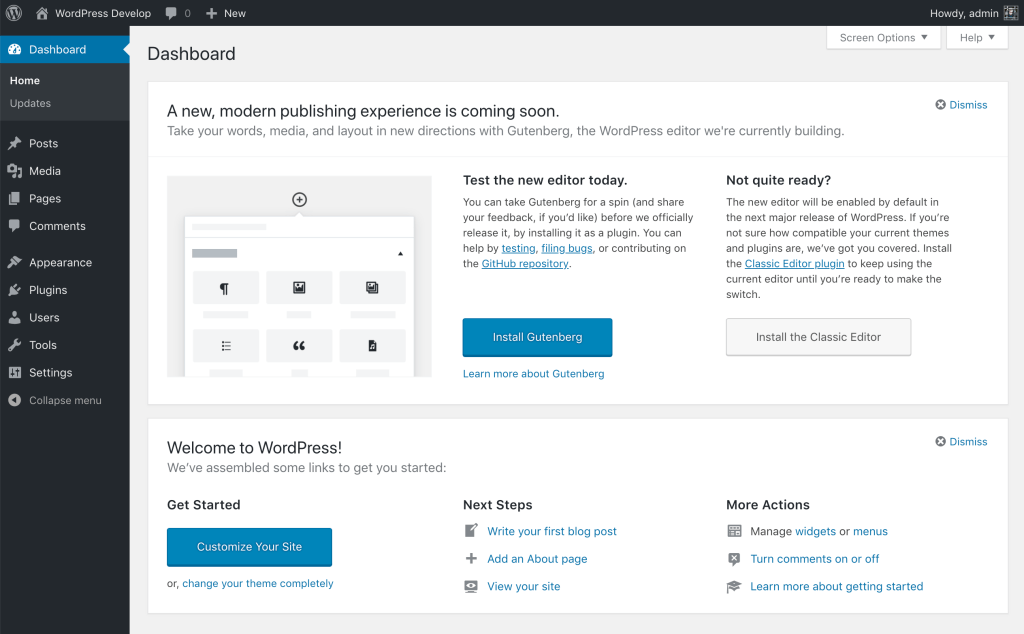
Elevate your admin experience7.0 introduces a fully revitalized dashboard with a chic, modern new color scheme, and clean finishes throughout. Polished with smooth transitions that seamlessly shift as you move between screens, you’ll feel like you’re effortlessly gliding through the dashboard. Just one click of the new Command Palette shortcut, a
⌘+KorCtrl+Kicon in the upper admin bar, lets you access your favorite tools from anywhere in the dashboard.Explore typography from one place, regardless of theme. Install, upload and manage your font collection from the new dedicated font management page, with support for block, hybrid and classic themes. Visually scrub through revision versions to see what changed at a glance, with markers that make editorial choices more intuitive. Easily pick the revision you want and restore instantly.
A simpler way to buildLet WordPress be your muse with new blocks, block supports, and design tools that add visual agility, granular control, and keep every element of your website on brand, with fresh new touches. Showcase your ideas in a lightbox slideshow with the new gallery block, and finesse your markup with the new Heading block. Deliver clear site navigation with the new Breadcrumbs block, and add more detail to your designs with the new Icons block.
Enhanced responsiveness controls in 7.0 make your site more user friendly. Hide and reveal blocks based on device, without affecting other viewports. Adjust styles for different breakpoints, and customize what those breakpoints are. Design and build your menu overlay with blocks and patterns, fully customizable with the styles you want visitors to see. Add columns, stylize typography, or embed your own close button in the overlay. Start with a template or create your own menu from scratch.
Fine tune page design and layout with Patterns that act as a single unit, detachable for more isolated control. Insert your pattern, swap elements and customize with ease. Style every detail of content with custom CSS at the block level, right in your post or page.
Advanced tools for building your wayWordPress 7.0 lets you build faster, better, stronger, and easier with an extensive set of expanded APIs and enhanced functionality. Create blocks and patterns on the server level using only PHP, auto-registered with the block API. Explore a more extensible Site Editor, with routing, route validation, and a new wordpress/boot package that allows plugins to build custom site-editor pages.
And much moreFor a comprehensive overview of all the new features and enhancements in WordPress 7.0, please visit the feature-showcase website. Check out whats new in 7.0

:strip_exif()/i/2002139227.png?f=thumbmedium)
:strip_exif()/u/5050/klaaz.gif?f=community)

/u/386114/crop60abc27cc7afc_cropped.png?f=community)

:strip_exif()/u/19665/ElfEverQuestTweakersSmall.gif?f=community)
:strip_exif()/u/25859/test2.gif?f=community)

:strip_icc():strip_exif()/u/1102/1a.jpg?f=community)
:strip_icc():strip_exif()/u/664627/crop690db398bf808.jpg?f=community)
:strip_icc():strip_exif()/u/2034226/crop687f8d18af928_cropped.jpg?f=community)
/u/1219196/crop6324b2e35d04c_cropped.png?f=community)
:strip_icc():strip_exif()/u/140697/crop6180fb9103afa_cropped.jpg?f=community)
:strip_icc():strip_exif()/u/630253/4b8001781ceab258b7bf40f76426913e.jpeg?f=community)
/u/34186/crop62e07d174532d_cropped.png?f=community)
:strip_icc():strip_exif()/u/560362/crop5db840ede59f8_cropped.jpeg?f=community)
:strip_icc():strip_exif()/u/238327/laravel.jpg?f=community)

:strip_icc():strip_exif()/u/85689/crop65fb0c2ca2763_cropped.jpg?f=community)
