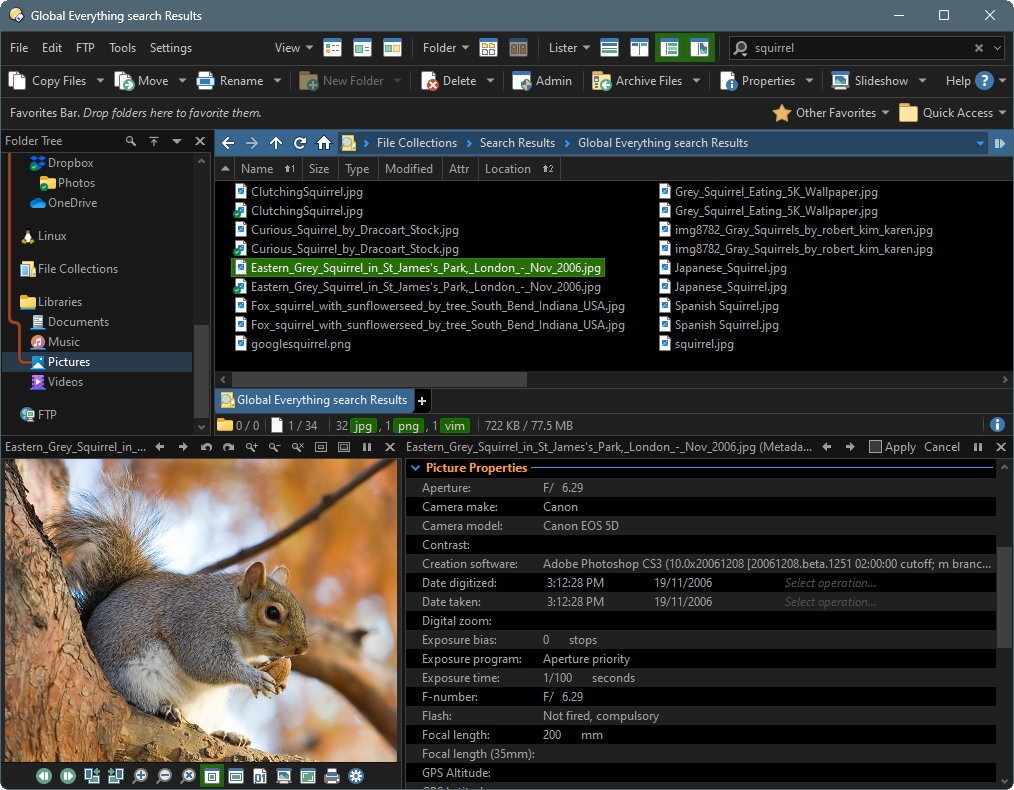
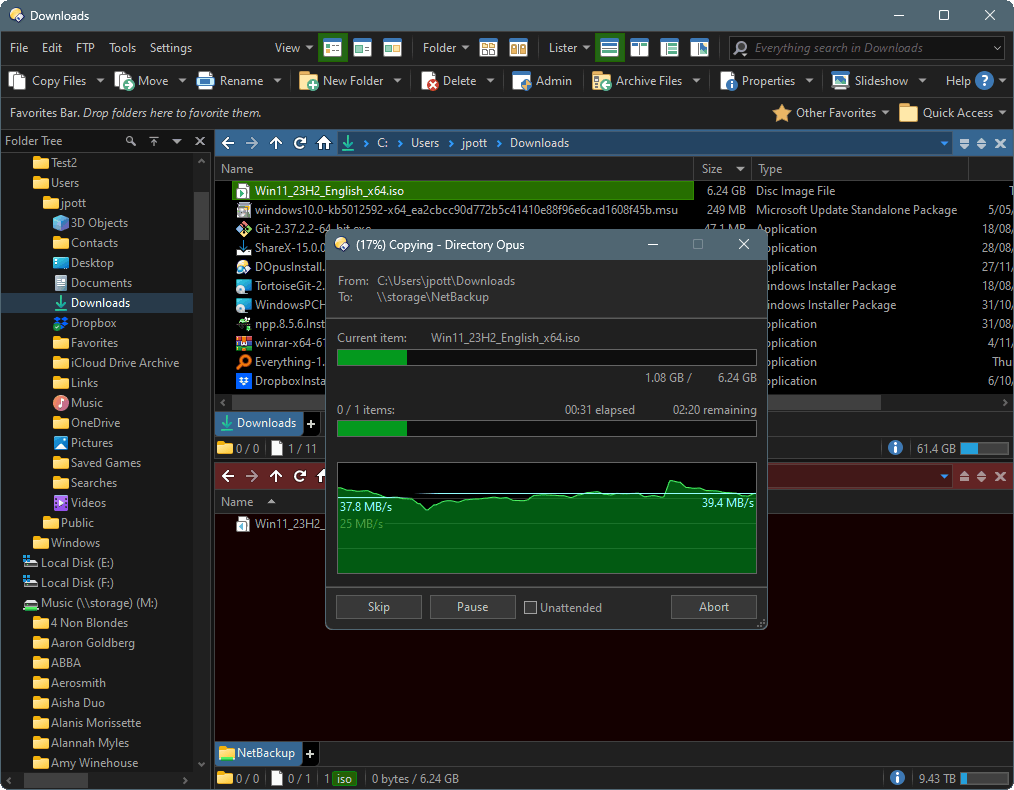
 GPSoftware heeft versie 13.25 van zijn bestandsmanager Directory Opus uitgebracht. Dit programma is in zekere zin vergelijkbaar met Total Commander, maar dan met uitgebreidere mogelijkheden over welke informatie precies moet worden weergegeven en op welke manier. Directory Opus is veelzijdig en extreem configureerbaar, zowel wat functionaliteit als wat uiterlijk betreft. Dat is meteen ook het grootste probleem, want het programma kan zeker op beginnende gebruikers complex overkomen. Het programma kan na registratie 60 dagen worden getest; daarna moet een licentie van 89 Australische dollar worden aangeschaft, wat neerkomt op ongeveer vijftig euro. De changelog voor deze uitgave kan hieronder worden gevonden:
Note:This release of Opus is signed with a brand new certificate. Please don't be alarmed by any Microsoft SmartScreen warnings you may encounter.
PreferencesStatus bar
- Added an option to Preferences / File Display Modes / Details / Appearance (and a separate one for Power Mode) that lets the vertical padding of file display group header items be configured.
- Added Preferences / File Operations / Copying Files / Include duplicate count of 1 option (and a similar option for the shortcut template). If turned on a duplicate count of 1 (i.e. the first duplicate) will generate something like "xxx - Copy (1)" rather than "xxx - Copy".
- Added Preferences / File Display Columns / Options / Show abbreviation for "bytes" in file sizes option.
- Added Preferences / File Displays / Status Bar / Scale images to match the font size option.
- Added Preferences / File Displays / Options / Info Tips / Display checkerboard behind transparent images option.
- You can now configure separate actions for FAYT Folders Mode for Enter + shift/ctrl/alt.
- When running in a non-English language, the Preferences search now includes the original English-language names of the various Preferences pages in the search index (so you can, for example, search for "language" when running in another language and find the Language page).
- With custom window frames (toolbar moved into titlebar), default light and dark themes now apply a color accent to active windows rather than inactive ones. (Can be changed via the Window Title colors under Preferences / Colors and Fonts / Directory Opus Colors / Toolbars.)
- You can now configure what the right mouse button does in the standalone image viewer (Preferences / Viewer / Standalone Viewer / Mouse Buttons). If set to anything other than Context Menu, you can still display the context menu by holding the shift key when you right-click.
- When the GPU-accelerated viewer is enabled you can now configure the scaling mode exactly (rather than a single "high quality" option). Different modes can be selected for when the viewer is zoomed in (>100%) and zoomed out (<100%).
- The Toolbars / Icons page in Preferences now has a button to disable individual icon sets.
- Added a new default evaluator column, Image Size. Displays the size of an image in megapixels.
- Added options for the External Tools image formats to let a configured format override the internal image handling for both the viewer and thumbnails.
Commands
- You can now use
<a>links in the status bar to add clickable links to run commands or show popup menus.
- Use
rel="external" hrefto specify a command to run (e.g.<a rel="external" href="help about">About</a>).- Use
idto specify the name of a toolbar to show as a popup menu (e.g.<a id="MyCommands">Commands</a>).- Use
textto specify a tooltip (shown on mouseover).- Added status bar
{qkh}code. Displays an icon that provides a tooltip showing the FAYT Quick Keys modes.- Added Preferences / File Displays / Status Bar / Custom Codes. This page lets you define custom codes for the status bar using the evaluator. It lets you make more complex evaluation clauses (over multiple lines) and use them in the status bar using a simple
{code}-style insertion code. You can also pass data through to the evaluation clause, e.g.{code:data}which will be available in the evaluation clause in theargsvalue.- Redesigned how the various status bar modes are selected/described on the Preferences Status Bar page. Split the definition editor to a separate page with a dropdown to let you select which definition to edit, meaning the editor is now much larger.
Evaluator
- Added
Show VIEWERCMD=accelerationandShow VIEWERCMD=scalemethodcommands, which let GPU acceleration and the scaling methods be modified for the current viewer without having to change the global Preferences. These commands have also been added to the default Viewer toolbar (reset to Factory Defaults or find them in Customize / Default Toolbars).- Added
Show VIEWERCMD=selectregioncommand to the standalone viewer. By default this command selects a default region (respecting aspect ratio if one is set) which can then be modified. If a region is already selected it clears the existing selection. You can also specify the size of the region to select:
- As a percentage, e.g.
Show VIEWERCMD=selectregion,100%- As a width, e.g.
Show VIEWERCMD=selectregion,1024. The height will be calculated automatically from the aspect ratio of the image.- As a size, e.g.
Show VIEWERCMD=selectregion,1024,768. The selection will be centered in the image.- As a full rectangle specified as x,y,w,h; e.g.
Show VIEWERCMD=selectregion,0,0,1024,768.- The
Show VIEWERCMD=backcolcommand can now be told to allow a checkerboard background behind the image while changing the remainder of the background color. For example,Show VIEWERCMD=backcol,#000000,allowcheckerboard.- Command state tests like
@ifset,IsChecked()etc can now use the Toolbar command to test if a toolbar is visible in a specific position rather than just on/off (e.g.@toggle:if Toolbar "MENU" STATE=top).- Added
CLIcommandCLOSETIMEOUTandAUTOSEARCHTIMEarguments, which allow the configured FAYT timeouts to be overridden when initiating the FAYT via a command. You can specify the value 0 to disable auto-search / auto-close for that specific invocation.- Added the
CLI KEEPOPENargument, which lets you invoke the FAYT and have the "keep open" pin selected by default.- The CreateFolder
MULTIargument can now be used in non-interactive mode, to indicate that the "create multiple folders" logic should still be used. This lets you have a command that creates multiple numbered folders, e.g.CreateFolder NAME="New Folder <5>" MULTI).- You can now use
{cp}with theCLI QUICKSEARCHcommand to specify where the cursor is positioned in the inserted string. For example,CLI QUICKSEARCHENGINE=everythingglobal QUICKSEARCH comment:"{cp}"would put the cursor between the two quotation marks.@ifand similar command testing forShow VIEWERCMD=backcolnow recognises theallowcheckerboardkeyword.- Added
Set DELAY=xcommand which waits for x milliseconds.Scripting
- Added try/catch/throw to the evaluator. Lets you catch errors from functions and continue processing rather than have the evaluation aborted.
- The evaluator now supports suffixes to specify the types of numeric variables. u - unsigned int
u64 - unsigned int 64
i64 - int 64
f - double For example,1024u64is the equivalent of1024 as uint64.- You can now add/subtract milliseconds from evaluator date variables with the 'i' prefix (e.g.
date += 100i;to add 100ms)- The evaluator
DatePart()function can now useiiandiiifor milliseconds (iiiis zero-padded to three places).- Evaluator columns can now return group information (when
operator == "group") as a map, the same as for evaluator groups. This lets the group order, collapse state and optional markup for label headings be controlled.- Added some numeric limits as predefined values in the evaluator: maxint, minint, maxuint, maxint64, minint64, maxuint64, maxdouble, mindouble.
- Added evaluator LanguageStr() canonical strings for "megapixels" and "mp".
- Added
click_buttonvalue to evaluator functions (fits alongsideclick_ptandbutton_rect). Returns "l", "m" or "r" to identify which mouse button was clicked, or empty string if not applicable/known.- Added evaluator
Delay()function.- Evaluator columns can now appear in more than one column category.
Other changes
- StringTools Encode/Decode methods now recognize the "WebCharset" keywords from the MIME types list in the registry (e.g. "shift_jis" is the web charset name for "iso-2022-jp").
- Script columns can now have their type set to "bool". The data provided to a bool column should be either false (0) or true (anything other than 0 - usually 1 or -1). The column value will be displayed as Yes/No in the current language, and will sort with Yes before No by default.
- The Viewer script object now has an
idproperty which returns a unique ID number for that viewer instance.- The Viewer script object now has a
varsproperty which provides aVarsobject local to the viewer. Each standalone viewer has its own set of variables. Viewer variables are not persisted to disk and only last until the viewer is closed.- A script can now pass an Image object as the value of the
Set BACKGROUNDIMAGEcommand to directly set an image as a background image. This implies "local" mode (e.g.BACKGROUNDIMAGEOPTS=localis implicit, even if not specified).- Listviews in script dialogs have a new Sort Notify property. If turned on, clicking a column in the listview's sort header will generate a "sort" event rather than automatically sorting the list alphabetically by the chosen column. The 1-based column index will be provided in the
Msg.indexproperty. Clicking the current sort column generates a negative index (use this as a cue to sort in reverse order). You can use theControl.SortItemsmethod to sort the list.- The
Control.SortItemsmethod now takes an optional second argument.
- When used with a custom sort callback, the second argument lets you specify the current sort column. The arrow indicator in the sort header will be updated to reflect the new column.
- When given a column to sort by, the second argument is a flags value. Currently the only flag defined is "n", which performs a numeric string sort rather than a standard lexicographical sort.
- You can now change a script dialog palette control's options from code using the
styleproperty. Valid style flags are: a - Palette type: alpha
t - Palette type: transparent
d - Palette type: default
n - No arrow
c - Can disable
m - Decimal- The FolderEnum script object now supports wildcard and attribute filtering for the folder enumeration.
- Use the
wildcardproperty to set a wildcard pattern (prefix with "regex:" for regular expression). For example,folderEnum.wildcard="a*";would only return filenames beginning with 'a'.- Set an attribute filter with
attrincludeandattrexclude. For example,folderEnum.attrinclude="hs";would only return items with both the hidden+system attributes set.- The
FSUtil.Run()method can now wait asynchronously for the launched program to complete and then send a message to a script dialog with the results. To use this, pass the dialog object as the sixth argument to the method (or as thedialogproperty if using map arguments). The return value from the Run() method in that case will be an ID number which identifies the task. Your message loop will receive a "run" message with this ID as thedataproperty. Thestateproperty indicates whether the program was launched successfully or not, and theobjectproperty contains theRunResultsobject.- In script dialog listview controls, you can now add multiple items/subitem values using a Map to specify the column names directly. The AddItem and InsertItemAt methods accept a
VectorofMapobjects. Each Map should contain key/value pairs for the column data to insert. By default the column titles are used as the keys but you can specify different (language-neutral, for example) keys with the new SetColumnPropertyNames method (this new method takes a Vector of strings; each string corresponds to a column in the listview.)- In jscript scripts, jscript plain dictionary objects are now accepted as an argument documented as taking a Map. So for example you can pass
{key:value, key:value, ...}to a method that accepts an Opus Map object.- Script columns can now appear in more than one column category. The "category" property can specify multiple comma-separated category keywords.
- Scripts that generate toolbar buttons can now pass an Image object for the
ButtonData.imageandButtonData.image2properties.- Added
Filter.anywordandFilter.evalscript properties.- Added
button_rect,click_ptandclick_buttonproperties toFuncscript object, so scripts launched from buttons can also determine where the button was clicked.- Added Point script object (similar to Rect) - returned by
Func.click_ptproperty.- Added diagnostic warning if a script's method names cannot be queried because it has names which only differ by case (ActiveScripting limitation).
- Added a command to the Rename preset management dropdown menu to save the current dialog settings as the defaults for the Rename dialog. The defaults will be used when the Rename dialog first opens (unless overridden by command line arguments).
- Added "Clear History" command to the context menu for the edit field in the Set Description dialog. You can also delete individual strings from the dropdown history by pressing Shift+Del.
- Shortcuts created by Opus now set the Initial Directory field to the parent for files, and leave it blank for folders, similar to what File Explorer does.
- If a search launched from the FAYT is bumped to a new tab because the current tab is locked, the FAYT is now opened in the new tab with the same search string so that the search can be easily modified.
- File display toolbars now use the spacing configured under Preferences / Toolbars / Appearance if it is smaller than their standard 1x1 spacing.
- Automatic Formats list in Preferences now preserves selection and scroll position when reacting to changes (both new folders being added, and old folders being removed).
- Added a context menu for the evaluator groups Preferences page.
- Time format strings can now use
iiandiiifor milliseconds (iiiis zero-padded to three places).- Junctions made with Opus now set the 'PrintName' field in the filesystem (previously this was left empty). Should not have any effect on how they work.
- Numeric string comparisons now ignore thousands separators (so, e.g. "10,000.txt" will sort after "12.txt")
- Matching brace highlighting in the script editor now takes comments into account.
- Fixed occasional distortion in GPU viewer when panning a magnified image.
- Changed how the codepage name lookup table is built for the StringTools Encode/Decode script functions.
- Cursor position is now preserved when the FAYT is bumped to a new tab due to searching in a locked tab.
- Date columns from the shell (e.g. System.ItemDate) are now handled as dates rather than as text, which means they're formatted better and sort properly.
- The function editor now notifies you in real time if you specify a hotkey that's already in use, rather than waiting until you click OK to close the dialog.
- Added
{thumbnailf}code for a new "flexible" layout of infotip thumbnails.- The FAYT "keep open" pin button is now shown for all FAYT modes rather than just search.
- The FileType command's PATH argument now supports aliases.
- You can now use \n in
<a text="...">in markup to insert a line break in the tooltip.- Added support for compressed SVG files (.SVGZ)
- The status bar definition editor now remembers its settings (visible spaces, etc).
- The InfoTips and Tiles fields in the filetype editor now have syntax highlighting and features like "show visible spaces".
- Removed the length limit on the Set Description dialog. You can also resize this dialog now to make it easier to edit long descriptions.
- In thumbnails and tiles modes the "Spread excess space between the columns" option now adjusts the horizontal position of each icon to center it within its column.
- If lossless JPG rotation is enabled/possible, the image converter's flip operation is now lossless (previously, selecting flip would disable the lossless option).
- For viewer plugins, increased the buffer size for the
lpszHandleExtsfield.- Added Vietnamese language support.
- The installer now supports dark mode (matches the Windows setting).


:fill(white):strip_exif()/i/1393843690.jpeg?f=thumbmedium)
:strip_icc():strip_exif()/u/481296/crop5a284ca09bd7d_cropped.jpeg?f=community)

/u/80569/sheep_by_teocava.png?f=community)