 GPSoftware heeft versie 13.22 van zijn bestandsmanager Directory Opus uitgebracht. Dit programma is in zekere zin vergelijkbaar met Total Commander, maar dan met uitgebreidere mogelijkheden over welke informatie precies moet worden weergegeven en op welke manier. Directory Opus is veelzijdig en extreem configureerbaar, zowel wat functionaliteit als wat uiterlijk betreft. Dat is meteen ook het grootste probleem, want het programma kan zeker op beginnende gebruikers complex overkomen. Het programma kan na registratie 60 dagen worden getest; daarna moet een licentie van 89 Australische dollar worden aangeschaft, wat neerkomt op ongeveer vijftig euro. De changelog voor deze uitgave kan hieronder worden gevonden:
PreferencesRename
- Added Preferences / Filtering and Sorting / Permanent Filters page. Lets you configure global filters that hide files and folders permanently. Items hidden this way won't be shown even in Show Everything mode, and won't be counted in hidden file and folder counts.
- Added Preferences / Filtering and Sorting / Find-As-You-Type / Find Mode / Allow Enter key to open selected item option (on by default).
- Added Preferences / Filtering and Sorting / Find-As-You-Type / Folders Mode / Select closest match option.
- Added Preferences / Folders / Virtual Folders / This PC / Refresh drive space on load option. In case the This PC folder doesn't update the free space automatically for you for some reason, turning this option on will force it to refresh every time you go to the folder.
- Added Preferences / Miscellaneous / Advanced: [Behaviour] makedir_eval_paste option. Lets you use a handler for Ctrl-V defined on the Control Keys Preferences page in the Create Folder dialog.
- Added Preferences / Miscellaneous / Advanced: [Behaviour] search_mru_max option. Lets you configure the maximum length of search field history dropdowns.
Synchronize
- The "Last Rename" button in the Advanced Rename dialog can now recall up to the last 10 rename operations performed (rather than just the most recent). Clicking the button repeatedly cycles through the history list.
Commands
- Added an option to the synchronize tool to disable deleting files to the recycle bin.
Scripting
- Added
Set TYPEFILTERMENUcommand. Lets the filter bar's filetype/group selection menu be accessed from a regular toolbar button.- Added
Set PERMANENTHIDEFILTER,Set PERMANENTHIDEFILENAMEandSet PERMANENTHIDEFOLDERScommands.- The
Gocommand'sDUALPATHargument now works in conjunction withOPENINLEFT/OPENINRIGHT/OPENINDUAL. This lets you open folders in the left and right file displays explicitly, irrespective of which is the source. E.g.Go C:\ OPENINLEFT DUALPATH D:\would read C: into the left and D: into the right even if the right file display was the source.Find DELETEcommand has a new "norecycle" argument.- Added
Gocommand argumentsNETUSER,NETPASSandNETPROMPT. Lets you provide network credentials on the command line when connecting to a network share. If a user name and password are specified the connection will be made without a password prompt if possible - add theNETPROMPTargument to always show a password prompt.- Added "Hover to Drop Down" option for menu buttons in popup menus (turn on via the right-click menu when in Customize mode).
- Added
hoveropenkeyword forGo FOLDERCONTENTcommand. When used in conjunction withbuttonwill make the button menus open on hover.- The
@toggle:updatecommand directive has been extended to trigger more types of toolbar button refresh.
- By default,
@toggle:updaterefreshes the enable/disable/check/uncheck (context) state ofSetcommand buttons- The new
@toggle:update allrefreshes all dynamic buttons as well (e.g. show/hide state and buttons that generate other buttons)- While toolbar updates are usually quick, you can also confine the update to specific commands if desired. For example,
@toggle:update all Favoriteswill only refresh buttons using theFavoritescommand.Evaluator
- Added enhanced support for popup menus in scripts. The new
Dialog.CreateMenu()method returns a new Menu object.
- Menu methods can be used to add and manipulate menu items:
- AddItem([label, [id, [position, [type]]]]) - add a "normal" item (or other types if type specified)
- AddToggle([label, [id, [position]]]) - add a "toggle" item (used with multi-selection)
- AddSeparator([position]) - add a separator
- AddSubMenu([label, [id, [position, [submenu]]]]) - add a submenu
- AddRadioGroup(id, [id, [id...]]) or AddRadioGroup(vector) - define a group of mutually exclusive items (for radio buttons in multi-selection)
- FindItem(id, [by_position]) or FindItem(label) - returns a MenuItem object
- RemoveItem(id, [by_position]) or RemoveItem(label) or RemoveItem(item)
- Show - displays the menu (see below)
- MenuItem object (returned by the AddXXX and FindItem methods) has the following properties:
- label - displayed item label, use & to mark an accelerator
- type - item type ("item", "toggle", "separator", "submenu")
- id - item ID (numeric)
- data - user data associated with the item
- submenu - Menu object that defines the submenu
- disabled - true if item is disabled
- checked - true if item is checked
- radio - true if item is displayed as a radio button when checked
- bold - true for the "default" item (displayed in bold)
Menu.Show()is used to show the menu.
- Show(dialog, control[, flags]) or Show(dialog, x, y[, flags]) or Show(x, y[, flags])
- Supports showing the menu attached to a button, over a control or at an arbitrary coordinate.
- Use dialog / control to attach to a button or (for the right button) display at the mouse coordinates over a control
- Use dialog / x/y to show at coordinates relative to a dialog
- Use x/y to show at screen coordinates
- Optional flags are:
- a: auto-assign accelerators
- b: bottom align
- c: center align
- g: right align
- v: vcenter align
- m: multi-select
- r: right button (otherwise assumes left button)
- s: support scroll (an Opus menu will be substituted for a standard Windows menu, which supports showing a scrollbar for long lists. However this does not support multi-selection.)
- If not using multi-selection, return value is the chosen ID or -1
- If using multi-selection,
- Any "toggle" items can be checked on/off without the menu closing
- Any "toggle" items with their radio property set to true will be mutually exclusive with other radio items in the same group (use AddRadioGroup to define groups)
- Return value is a MenuMultiSelResults object with the following properties:
- id: the ID of the chosen item (or -1)
- changed: a vector of item IDs that the user changed
- Buttons in script dialogs have three new properties:
- Split: Displays the dropdown arrow in a separate section rather than part of the main button. Clicking the arrow part of the button will generate a "push" message rather than "click". (requires the Arrow property to also be turned on).
- Immediate: The control will respond on button down rather than button up.
- Arrow: Displays a dropdown arrow next to the label.
- Added Control properties
lines,visiblelinesandtoplinefor applicable controls in script dialogs (multiline edit controls, listview in details mode, listbox and markup text with scrollbar). You can modify thetoplineproperty to change the scroll position in the control.- Added new Control methods for multi-select controls in script dialogs:
GetItemByData,RemoveItemByData,SelectItemByData,DeselectItemByData,InvertSelection.- The markup text control in script dialogs now supports the
<hr>tag to draw a horizontal line.- Buttons in script dialogs using the internal button icons (with
%xas the image) can now show a grayscale version via%gx.- Added
GlobalFilters.permanentscript property. This returns aPermanentFiltersobject withenable,fileandfolderproperties of its own.- Added
Item.InfoTip()script method. Retrieves the infotip for a file or folder. TheItemobject must have been retrieved from aTab(e.g. it can't have come from a directory enumeration).- Added script property
ButtonData.hoverpopout.Other changes
- The evaluator
DatePart()function can now calculate the julian date from a date/time - e.g.Output(DatePart(Now(), "julian"));- Added evaluator function
GetInfo(), returns various information from the file display. Can be used in buttons/functions and the status bar. Current items available are: Count, FileCount, DirCount, SelCount, FileSelCount, DirSelCount, CheckCount, FileCheckCount, DirCheckCount, HiddenCount, FileHiddenCount, DirHiddenCount,
Size, FileSize, DirSize, SelSize, FileSelSize, DirSelSize, CheckSize, FileCheckSize, DirCheckSize, HiddenSize, FileHiddenSize, DirHiddenSize,
SongLengthTotal, SongLengthSel, SongLengthChecked,
DiskSize, FreeSpace, AvailableSpace, UsedSpace, FileSystem, DriveLabel, FilterPattern, FilterActive- Evaluator functions like
GetItems()andTabPath()that only worked in button/function contexts can now be used in the status bar as well.
- Icon sets can now specify a "keywords" property for individual icons, which will be searched when filtering icons by name. Individual keywords should be separated by semi-colons.
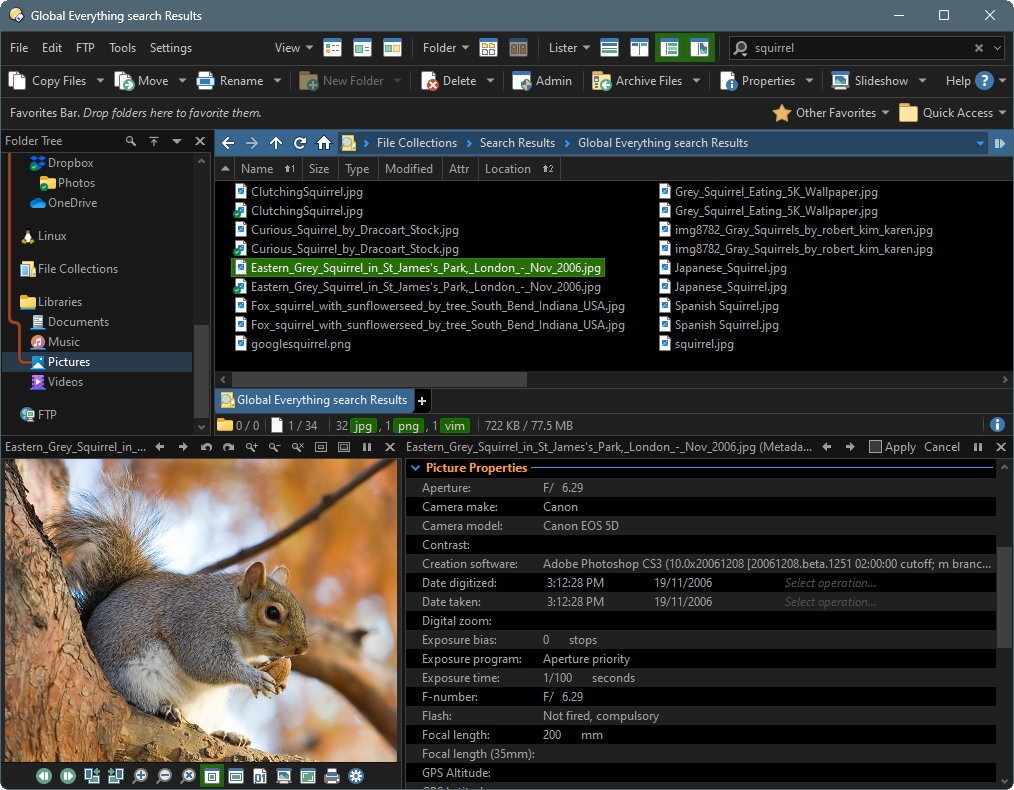
- Added Relevance column for file collections; displays the "relevance" of Windows Search search results.


:fill(white):strip_exif()/i/1393843690.jpeg?f=thumbmedium)
:strip_icc():strip_exif()/u/39852/ajax_avatar_60.jpg?f=community)