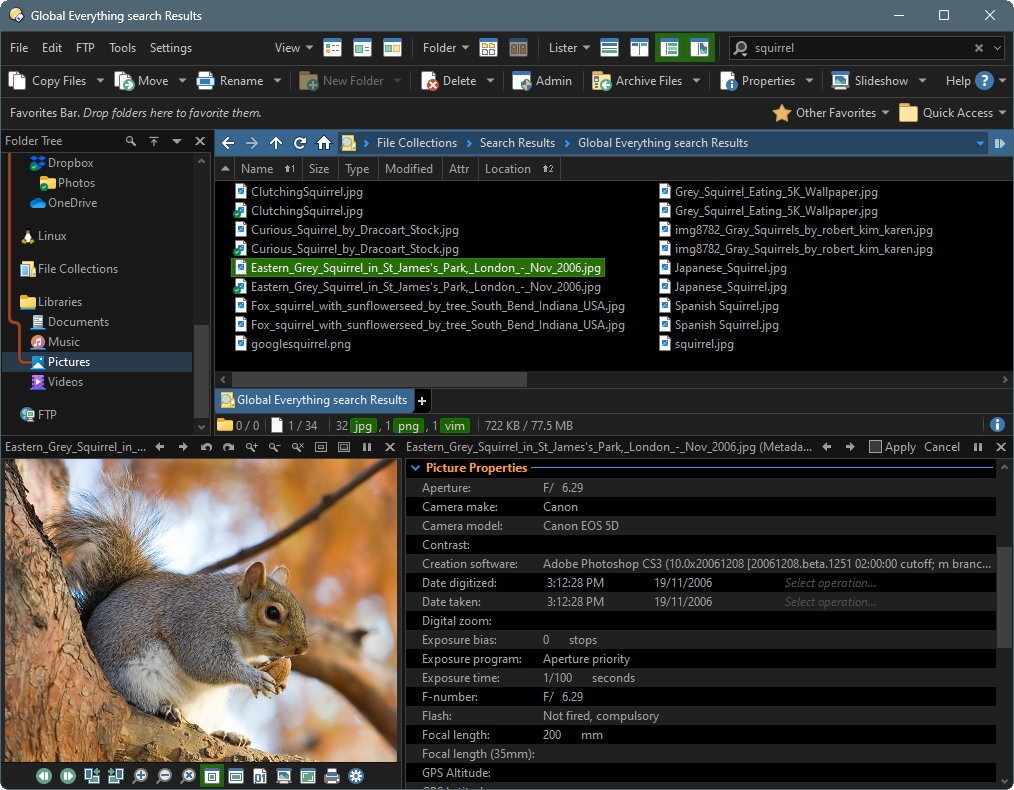
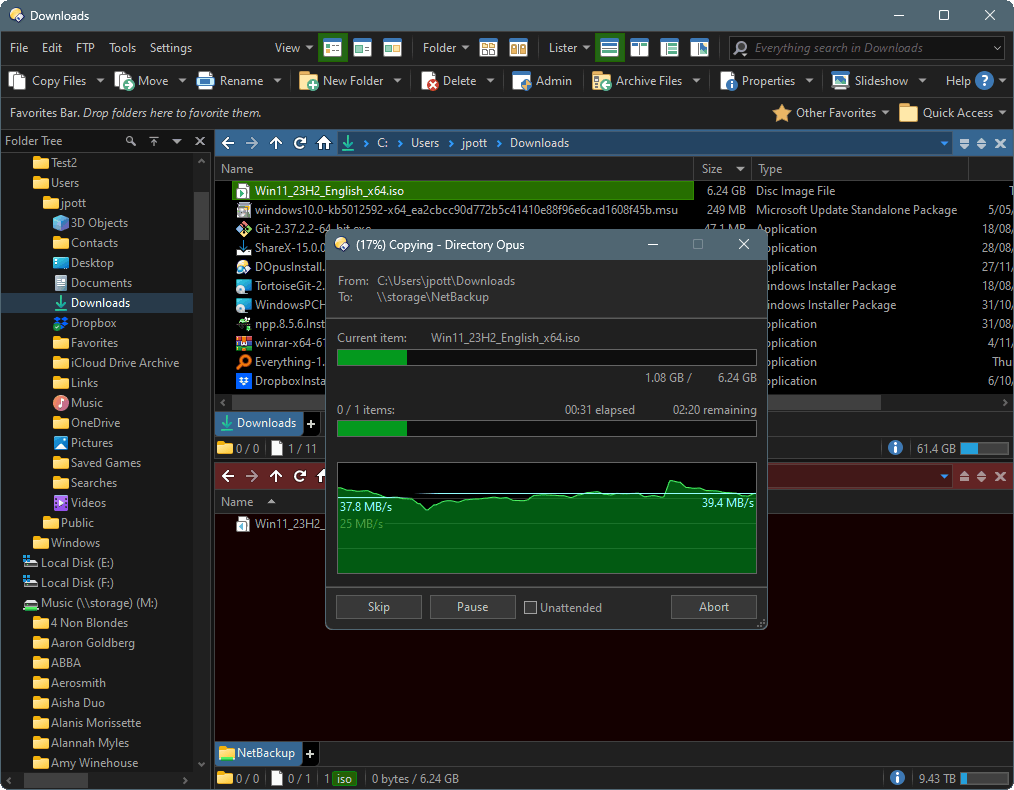
 GPSoftware heeft versie 13.20 van zijn bestandsmanager Directory Opus uitgebracht. Dit programma is in zekere zin vergelijkbaar met Total Commander, maar dan met uitgebreidere mogelijkheden over welke informatie precies moet worden weergegeven en op welke manier. Directory Opus is veelzijdig en extreem configureerbaar, zowel wat functionaliteit als wat uiterlijk betreft. Dat is meteen ook het grootste probleem, want het programma kan zeker op beginnende gebruikers complex overkomen. Het programma kan na registratie 60 dagen worden getest; daarna moet een licentie van 89 Australische dollar worden aangeschaft, wat neerkomt op ongeveer vijftig euro. De changelog voor deze uitgave kan hieronder worden gevonden:
PreferencesCommands
- Added File Operations / Renaming Files / Allow rename into other directories option. Allows you to disable the feature in inline rename where files can be moved to other folders.
- FAYT Quick Keys can now be up to 4 characters long instead of just a single key. For example, you could assign
>>for command mode and>?for DOS command mode. Typing a leading key of a multi-character key puts the FAYT in the new "mode" mode, which shows a popup list of all modes that match the prefix typed so far. You can disable this popup if you want with the new option on the Filtering and Sorting / Find-As-You-Type page.Scripting
- Added
Set FAYTFINDOPTIONScommand, lets you toggle various FAYT Find Mode options from a command.- Buttons that use
@keydowncan now provide additional tooltip text for the various key combinations. For example,@keydown:shift:Opens a new window.- As well as Standard, Script, MS-DOS, etc, a new "Evaluator Function" function type is now available for buttons, hotkeys, etc. This lets you write a function in "pure" evaluator code. The
@functype:modifier andCommand.SetType()script methods now accept "eval" to indicate an evaluator function.Evaluator
- The New Script dialog can now generate a new script from custom templates. This lets you add support for additional languages like Python. Templates should be stored in the
/dopusdata/Script AddIns/Templatesfolder.- In script dialogs, you can now add items to listview controls with the
AddItem/InsertItemAtmethods using a vector (or JScript array) to initialise an item and its subitems at once. You can also pass a two-dimensional array to add multiple items.- Added Word wrap option (enabled by default) for script dialog multiline edit controls.
- Changes to the script
FSUtil.Run()method:
- You can now wait for the launched process without having to redirect its output. If the third argument is a string instead of a bool value, it specifies a flags value. Current flags are "r" for redirect output, and "w" for wait. ("r" implies "w" but "w" can be used to wait without redirecting).
- The string provided by the optional fourth argument will now be fed to the process stdin even if not waiting for it to finish.
- A new optional fifth argument which lets you specify the current directory for the launched process.
- The
Dialog.FlushMsg()method now takes two optional parameters, both wildcard strings to match against the event name and control name. Only messages matching the wildcards will be flushed.- Added
Dialog.Controls()method for script dialogs. Returns an enumerable collection of allControlobjects in the dialog.Other changes
- The evaluator now supports arrays. The following functions have been added to create and work with arrays:
ArrayCreate,ArrayGet,ArraySet,ArrayPush,ArrayPop,ArrayErase,ArrayCopy,ArraySort,ArrayRev. Additionally theLen()function can be used to query the number of elements in an array.- Added
Run()function to allow evaluator functions to run internal and external commands.- Added
Dialog()function to allow evaluator functions to display simple dialogs.- Added
GetItems()function. Returns an array of item paths from the specified tab.- Added
Explode()andImplode()functions.- Added
ES()function which provides a way to use C-style escaping in a string for characters like tab and CR/LF.IsSelected()andFileCount()now work in function contexts even if the function itself doesn't use any files (or more accurately, if Opus thinks it doesn't use any files).- The
Match()function can now match against an array as well as a string.
- In the Folder Format dialog, the View tab now has a separate font setting for thumbnails mode.
- Context-sensitive button enable/disable now works with commands that use
@ifsel:to change their behaviour depending on selected file status.- Improved performance of some HEIC/HEIF thumbnails.
- If a multi-key hotkey and a multi-key quick key share a prefix, the hotkey normally gets priority. However if a subsequent key matches the quick key but not the hot key, the string typed up to that point is now fed through to the FAYT.
- The
F10information display in the standalone image viewer now includes a histogram of the image.


:fill(white):strip_exif()/i/1393843690.jpeg?f=thumbmedium)
:strip_icc():strip_exif()/u/117175/nijlpaard.jpg?f=community)
:strip_icc():strip_exif()/u/34634/crop57875dfe76a04_cropped.jpeg?f=community)
 Het was DE file manager op de Commodore Amiga, omdat het enorm configurabel was. Ik heb, een aantal jaar geleden, wel eens naar de Windows versie gekeken, uit nostalgie, maar het werd te snel te complex, kan ik me herinneren.
:strip_icc():strip_exif()/u/312250/crop58172eb91ebc5_cropped.jpeg?f=community)

:strip_icc():strip_exif()/u/92809/crop577f58c1b8795.jpeg?f=community)