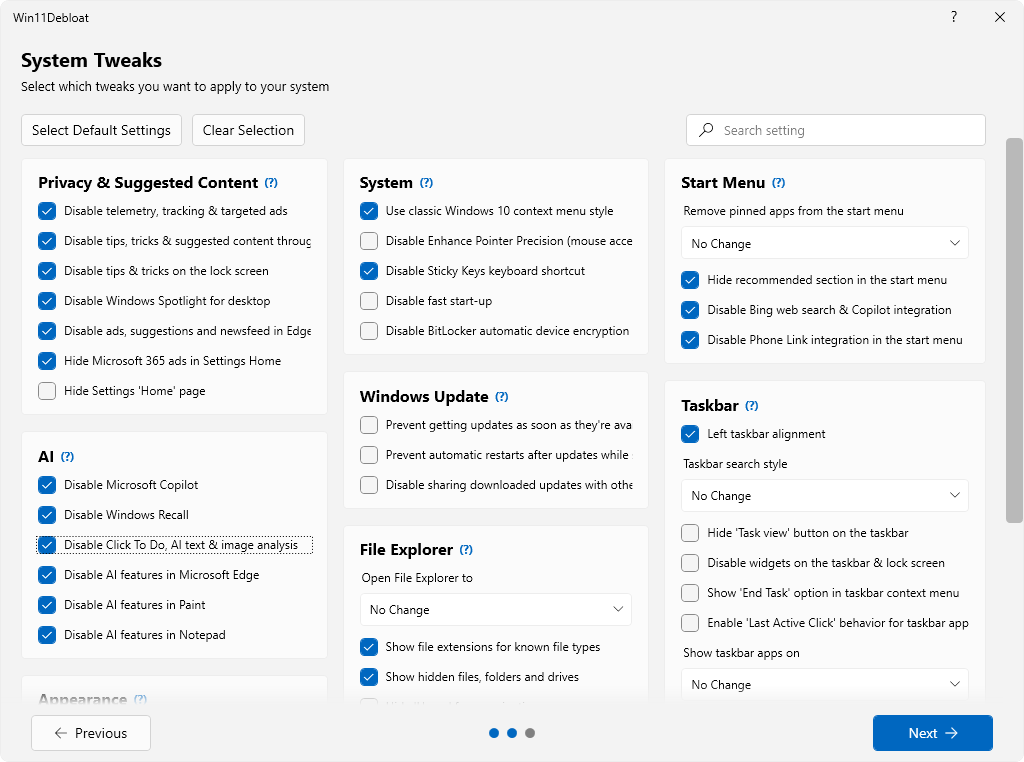
 Win11Debloat is een PowerShell-script dat enerzijds een groot aantal met Windows meegeleverde applicaties kan verwijderen en anderzijds instellingen kan wijzigen die voor een verbeterde privacy en gebruikersgemak zorgen. Ondanks dat het een script is, heeft het wel een grafische gebruikersinterface en in tegenstelling tot wat de naam suggereert kan het op zowel Windows 10 als 11 worden gebruikt. Te veel uitschakelen is uiteraard niet zonder risico, maar de als standaard aanbevolen instellingen kunnen redelijk veilig worden uitgevoerd. Ook biedt het de mogelijkheid om een herstelpunt te maken voordat de gekozen aanpassingen worden doorgevoerd. De changelog voor versie 2026.06.10 kan hieronder worden gevonden.
Release 2026.06.10This release brings some long-requested features alongside a host of fixes. For starters, Win11Debloat can now automatically detect previously applied tweaks for the logged-in user. And reverting them is as simple as unchecking the corresponding setting.
The script now also fully supports running under the SYSTEM account, which has also made it possible to apply changes to users who are still logged in. This makes it far easier to integrate Win11Debloat into your automations and deployments.
What's Changed
- Add confirmation dialogs & warning for Windows Terminal Removal
- Add Support for running the script under SYSTEM account in #609
- With this, support was also added for applying changes to users that are still logged-in.
- Add option to show & undo previously applied tweaks in #599
- Add additional options to change the
All Appsview in the start menu (Hide, Grid, Category, List) in #599- Clean up logging of exceptions during Appx Package uninstallation via Write-Verbose in #617
- Improve log output in Get.ps1/Get-Dev.ps1 and clean up file exclusions
- Remove
RemoveCommAppsandRemoveW11Outlookapp removal parameters. Use-RemoveAppsparameter instead in #599- Resolve nested quoting bug in Run.bat when path has spaces, see #583 in #599
- Fix desync issue when toggling "Only Show Installed" checkbox too fast in #599
- Fix: add missing keys in Sysprep/Undo regfiles for Disabling Recall and Windows Suggested content in #599
- Fix 'Disable Animations' Sysprep settings not being set for new users in #599
- Fix typo in Disable_Game_Bar_Integration Sysprep registry file

:strip_exif()/i/2008010274.png?f=thumbmedium)
/u/267471/crop5c90d1e00cf68_cropped.png?f=community)
/u/2487862/crop6a633fcb7cdae_cropped.png?f=community)

/u/389453/crop56122b3ae5c15_cropped.png?f=community)
/u/89311/crop65c27e53cad7a.png?f=community)
 Denk dat veel tweakers dat net als ik niet wisten...
:strip_icc():strip_exif()/u/127123/crop629ca4fa0178c_cropped.jpg?f=community)
