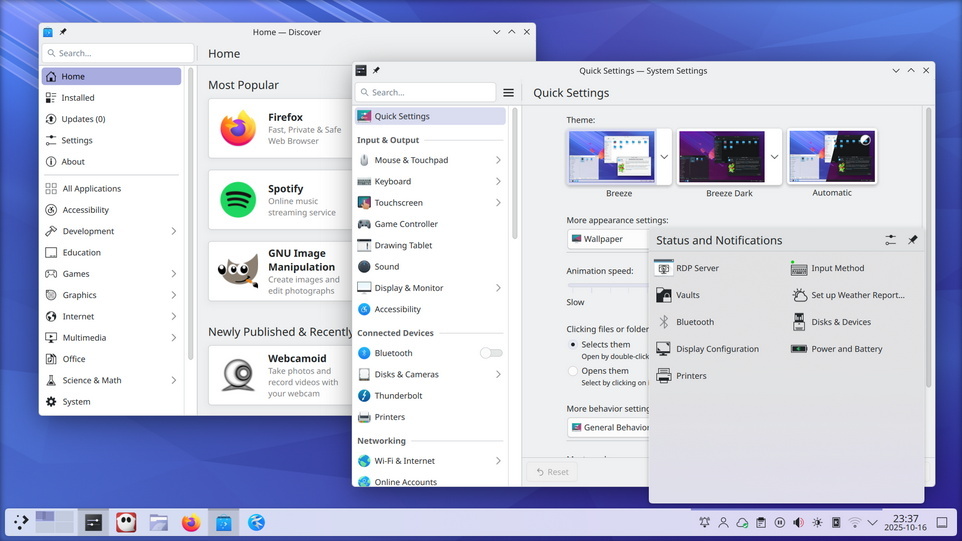
 KDE heeft versie 6.6 van Plasma uitgebracht, een grote uitgave met veel vernieuwingen. Plasma Workspaces is een populaire desktopomgeving die primair voor Linux, FreeBSD en Solaris wordt ontwikkeld. In versie 6.0 is onder meer de overstap naar de laatste versie van het applicatieframework Qt gemaakt en is Wayland nu als standaard ingesteld ten koste van X11. De belangrijkste veranderingen die in KDE Plasma 6.6 zijn aangebracht zijn hieronder voor je op een rijtje gezet:
New FeaturesThose who like tailoring the look and feel of their environment can now turn their current setup into a new global theme! This custom global theme can be used for the day and night theme switching feature.
Accessibility
- A more subtle way of modifying the look of your apps is by changing the color intensity of every frame.
- Choose emoji (Meta+.) skin tones more easily with a new skin tone selector.
- A major focus of Plasma 6.6 has been speeding up common workflows. So if the system has a camera, you can quickly connect to a new Wi-Fi network simply by scanning its QR code.
- Hover the pointer over any app’s icon playing sound in the task manager, and scroll to adjust its volume.
- And save yourself a click by enabling Open on hover in your Windows List widget. You can also filter out windows not on the current desktop or activity.
- Hold down the Alt key and double-click on a file or folder on the desktop to bring up its properties.
To help everyone use and enjoy Plasma, we’ve improved accessibility across the board. If you have colorblindness, check out the filters on System Settings’ Accessibility page, under Color Blindness Correction. Plasma 6.6. adds a new grayscale filter, bringing the total to four filters that account for different kinds of colorblindness.
Still in the area of enhancements for the visually impaired, our Zoom and Magnifier feature has gained a new tracking mode that always keeps the pointer centered on the screen, bringing the total to four modes. In addition, we added support for “Slow Keys” on Wayland, and the standardized “Reduced Motion” accessibility setting.
Screenshots and Screen RecordingSpeaking of accessibility, Spectacle can now recognize and extract text from images it scans. Among other use cases, this makes it easy to write alt texts for visually-impaired users. You can also filter windows out of a screencast by choosing a special option from the pop-up menu that appears when right-clicking a window’s title bar.
Virtual KeyboardPlasma 6.6 also features a new on-screen keyboard! Say hello to the brand-new Plasma Keyboard.
Plasma SetupPlasma Setup is the new first-run wizard for Plasma, and creates and configures user accounts separately from the installation process. With Plasma Setup, the technical steps of operating system installation and disk partitioning can be handled separately from user-facing steps like setting up an account, connecting to a network, and so on. This facilitates important use cases such as:
But That’s Not All…
- Companies shipping Plasma pre-installed on devices
- Businesses or charity organizations refurbishing computers with Plasma to give them new life
- Giving away or selling a computer with Plasma on it, without giving the new owner access to the previous owner’s data
Plasma 6.6 is overflowing with goodies, including:
- The ability to have virtual desktops only on the primary screen
- An optional new login manager for Plasma
- Optional automatic screen brightness on devices with ambient light sensors
- Optional support for using game controllers as regular input devices
- Font installation in the Discover software center, on supported operating systems
- Choose process priority in System Monitor
- Standalone Web Browser and Audio Volume widgets can be pinned open
- Support for USB access prompts and a visual refresh of other permission prompts
- Smoother animations on high-refresh-rate screens
To see the full list of changes, check out the complete changelog for Plasma 6.6.

:fill(white):strip_exif()/i/2007852662.jpeg?f=thumbmedium)
/u/1038785/crop6994dd95a9dbd_cropped.png?f=community)
/u/450695/crop64b92b627ebdf.png?f=community)