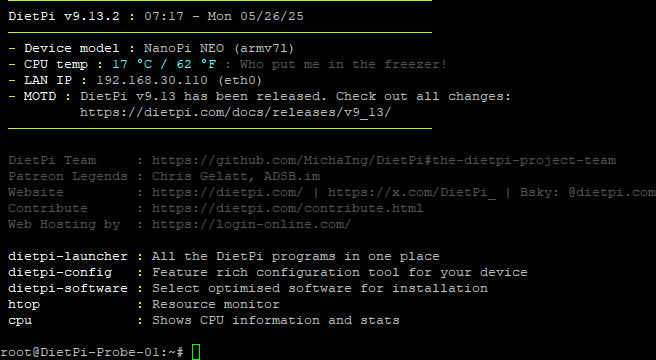
DietPi is een lichtgewicht besturingssysteem voor zogenaamde singleboardcomputers. Het is op Debian gebaseerd en geoptimaliseerd om maximale prestaties uit de kleine computers te halen. DietPi heeft daarnaast ook een groot aantal ready-to-run applicaties die kunnen worden geïnstalleerd. Hoewel de naam anders doet vermoeden is het niet alleen geschikt voor Raspberry Pi's, maar ook prima te gebruiken op hardware van bijvoorbeeld Odroid, Orange Rock en Pine. Versie 10.1 is uitgekomen en hier zijn de volgende veranderingen en verbeteringen in aangebracht:
New imagesNew software
- NanoPi Zero2 Support for this headless FriendlyELEC SBC with Rockchip RK3528 SoC has been added to DietPi.
Enhancements
- DietPi-Software | WhoDB This database management tool with AI-powered chat interface has been added to our software catalogue. MichaIng/DietPi#7818
Bug fixes
- NanoPi R5C Resolved an issue where the Ethernet network interface names could have swapped on reboots. They are now assigned with
eth0as LAN port andeth1as WAN port. https://dietpi.com/forum/t/24845/24- DietPi-Tools | DietPi-Banner New option to output the Linux kernel version
- DietPi-Software | Python 3 All Python software options make now use of
venvs, instead of being installed to the system site/usr/local/lib/python3.*/dist-packages. Recentpiphas increasing issues managing modules there on distributions which have own Python module packages. Modern setups almost require isolated environments likevenv.Synapse,motionEye, andOctoPrintare reinstalled on DietPi update to perform the migration directly, preserving user data and plugins. The “break-system-packages” flag in/etc/pip.confis consequently removed. If you need to manage packages via pip at the system site, add the--break-system-packagesCLI flag to each call.- DietPi-Software | Navidrome Support for RISC-V has been unlocked, as official builds have been added with the v0.60.0 release on GitHub.
- DietPi-Software | MinIO The console client
mcis now installed along with the server, to make up with the lost administration functionalities of the community server web UI. A shell alias is generated to invoke it asminio-useruser, using a pre-generated config file/mnt/dietpi_userdata/minio-data/.mc/config.json. It adds the local MinIO server instance as “local” alias. Additionally, the default credentials have been changed to username (access key) “dietpi” and the default software password as secret key. Since MinIO requires the password to be at least 8 characters long, the default software password is concatenated until 8 characters are reached. E.g. iftestwas used, it will betesttestfor MinIO. However, don’t try it and use a secure default software password of 12 characters or more on production systems ;). Change it afterwards for the MinIO server in/etc/default/minio, and for the console clientmcaccordingly in/mnt/dietpi_userdata/minio-data/.mc/config.json.- DietPi-Software | TigerVNC/RealVNC/XRDP Those remote desktop servers do not actually require a desktop anymore, but just the X server. This allows lighter setups when using them to show an individual GUI application like Chromium only, instead of a full desktop. MichaIng/DietPi#7947
- ZeroPi Resolved an issue where images failed to boot because of a faulty bootloader update. MichaIng/DietPi#7715
- DietPi-Software | BirdNET-Go Resolved an issue where the install failed since the initial call tries to create the logs directory in the working directory as unprivileged user, rather than in its home directory. MichaIng/DietPi!7929
- DietPi-Software | Chromium Resolved a v10.0 regression where the kiosk mode
dietpi-autostartoption failed, since the script tried to call it withxinit/startx chromium, while it requires the full pathxinit/startx /usr/bin/chromium. MichaIng/DietPi#7923- DietPi-Software | ADS-B Feeder Resolved an issue where the setup could have failed on RISC-V and 32-bit ARM system due to missing dependencies for the Python cryptography module.
- DietPi-Software | Gogs Resolved an issue where ARMv8 systems were not able to detect the latest version due to a changed asset name suffix in the GitHub releases for this architecture. MichaIng/DietPi#7945
- DietPi-Software | Plex Media Server Resolved an issue where APT was throwing errors and package installs/upgrades failed because of a faulty key rotation done at the Plex APT repository. The old repository has been since shut down and a new one set up, which we use now. The migration is done automatically on DietPi update. MichaIng/DietPi#7925
- DietPi-Software | microblog.pub Resolved an issue where the install failed since pyenv Python 3.11 or older builds require the “patch” package now. https://dietpi.com/forum/t/24975/2
- DietPi-Software | Pi-hole Resolved an issue where Pi-hole’s setup dialogs did print cryptic characters on input when selected for install during first run setup. “dialog” requires either STDOUT or STDOUT directly attached to a terminal, while
dietpi-logincallsdietpi-softwarewith both streams piped into “tee” for login, on first login. Its STDOUT and STDERR are now redirected back to the parent shell file descriptors (terminal) via “dialog” wrapper function. https://dietpi.com/forum/t/24889As always, many smaller code performance and stability improvements, visual and spelling fixes have been done, too much to list all of them here. Check out all code changes of this release on GitHub: MichaIng/DietPi!7954

:strip_exif()/i/2008295698.png?f=thumbmedium)
:strip_exif()/u/217171/avatar60.gif?f=community)

:strip_exif()/u/26559/SunDrop_60_got.gif?f=community)
/u/94596/crop6ac4baab4c648_cropped.png?f=community)