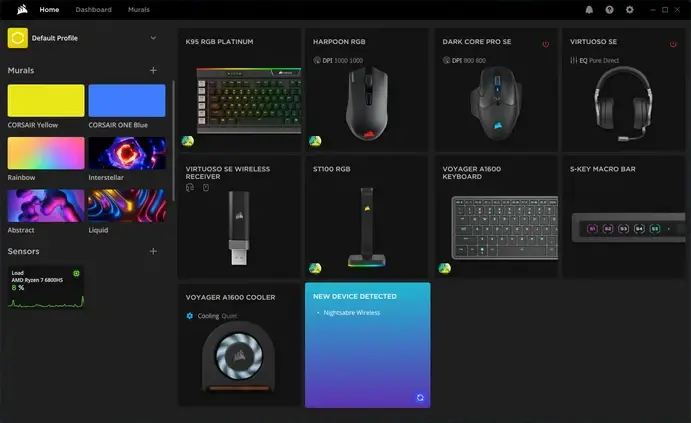
 Corsair heeft versie 5.47.101 van iCUE uitgebracht. Dit programma, dat beschikbaar is voor Windows en macOS, kan worden gebruikt om specifieke hardware van Corsair te beheren en aan te passen. Denk daarbij aan het in de gaten houden van temperaturen, het aanpassen van rgb-verlichting en de snelheden van de fans, en de instellingen van muis, toetsenbord en hoofdtelefoon. De changelog sinds versie 5.43.73 kan hieronder worden gevonden.
iCUE 5.47.101
What's New:Bug Fixes:
- Added support for custom widgets on compatible keyboards
- Implemented dial interaction for navigating widgets on supported keyboards
- Added color selection options for the MAKR 75 keyboard in settings
- Added a new FPS widget for display on keyboard screens
- Fixed an Issue where widget previews did not display correctly
- Fixed an Issue where custom profiles were automatically created for Link devices
- Fixed an Issue where RX II fan names did not display correctly for the Vanguard Air RX II AIO Series
- Fixed an Issue for Xeneon Edge where page navigation felt unresponsive after hotkey shortcut implementation
- Fixed an Issue where the setup wizard incorrectly displayed the HX 1000i Vanguard preview for Link HXi PSUs
- Fixed an Issue where background color could not be changed for the FPS Clock widget after applying a transparent image
- Fixed an Issue where the Link System Hub module image did not match the HX 1000i Vanguard identification
- Fixed an Issue where the AQI and Weather widget could not automatically detect the user's location
- Fixed an Issue where the default preset was missing from the hardware key actuation profile
- Fixed an Issue where canceling the discard changes popup on the Vanguard Air 99 Wireless incorrectly limited unsaved screen retention
- Fixed an Issue where the Notification Settings window displayed an incorrect name for the Vanguard 96 and Vanguard Air 96
- Fixed an Issue where the wireless application firmware version was not displayed for the Vanguard Air
- Fixed an Issue where the third default item was incorrect on the Vanguard Air 99 Wireless
- Fixed an Issue where the Image Settings header was missing from the media editor on the Vanguard 96 screen
- Fixed an Issue where the percentage symbol was missing from the widget transparency bar on the Vanguard 96 screen
- Fixed an Issue where the 5000T RGB lighting layout did not match the actual physical strip positions
5.46.67
What's New:Bug Fixes:
- Added the ability to install widget packages (.icuewidget) by simply double-clicking the file
- Implemented Dark Mode support for the Twitch Chat widget for Xeneon Edge and other enabled screens
- Enhanced handling of uploading large images
- Added additional slider for Widget Background Transparency for the Seonsors list widget on Xeneon Edge
- Added a checkbox option to remove device suffixes for cleaner naming for Sensors list widget on Xeneon Edge
- Added back long date format for digital clock widget on Xeneon Edge and Pump LCD
- Fixed an issue where iCUE defaulted to a generic screen instead of remembering the last viewed screen for the Xeneon Edge
- Fixed an issue where AM/PM indicators overlapped in Mandarin Chinese (12-hour mode) for the Clock widget on Xeneon Edge and other enabled screens
- Fixed an issue where the weather widget periodically lost its connection
- Fixed an issue where iCUE did not respond to tilt gestures assigned to Media Volume Up/Down
- Fixed an issue for LCD Keyboards where the discard function still showed a popup and unsaved screens could not be cleared
- Fixed an issue for Vanguard 96 devices where the sensor name was missing after changing widgets
- Fixed an issue for wireless devices where settings in the device tab were not disabled when the device was in an unavailable state
- Fixed an issue for Keyboard LCD Screens where the weather widget displayed incorrect temperature units
- Fixed an issue where LEDs for RX Fan Series did not match the geometry of the Murals setup
iCUE 5.45.71
Whats New:Bug Fixes:
- Added support for the Vanguard Air 99 and Vanguard Air
- Fixed an issue where the user is unable to type in WB widget input fields even when iCUE is not in the foreground
- Fixed an issue by removing screen indication from the widget area while iCUE is running on the K70 RGB TKL and K70 PRO RGB TKL
- Fixed an issue with the Xeneon Edge Sensor List where custom style values were not applied after switching tabs
- Fixed an issue with the Xeneon Edge Sensor List where the custom style configuration was lost after reloading from the device
- Fixed an issue with the Xeneon Edge where the rename function was stuck after changing screen mode
- Fixed an issue that caused iCUE to crash with the media control widget
- Fixed an issue with the Xeneon Edge where disabling the custom style toggle still showed the widget image
- Fixed an issue with the widget configuration panel displaying incompletely when an alert state was triggered and the screen was swiped
- Fixed an issue on the Xeneon Edge where Auto‑Rotate settings caused overlay artifacts when the display orientation was changed in Windows
- Fixed an issue on the Vanguard 96 Game Mode where changing brightness levels caused the Game Mode lighting to disappear
- Fixed an issue on the Vanguard 96 and Vanguard Air 96 screens where default images could not be fitted to the LCD
- Fixed an issue that prevented re-pairing a reciever
- Fixed an issue with the MAKR 75 where saving an image widget allowed selecting another iCUE profile
- Fixed an issue with the MAKR 75 where quitting iCUE without saving the Screen widget prevented the app from closing
- Fixed an issue with the MAKR 75 screen where “Discard Changes” could not be used without saving all images
- Fixed an issue with the MAKR 75 LCD wireless where settings did not change language when the user changed it
- Fixed an issue on the K70 PRO RGB TKL Game Mode where the murals effect was playing during Game Mode lighting
- Fixed an issue with the MAKR 75 Device Memory Mode where the screen tab remained highlighted after deleting all DMM profiles
- Fixed an issue with the MAKR 75 LCD where the sensor type dots were overlapped by the sensor name
- Fixed localization and translation issues
iCUE 5.44.55
What's New:Bug Fixes:
- Added the ability to upload widgets for Xeneon Edge. Widgets are available on Elgato Marketplace, or you may create your own Widgets following the documentation here.
- Implemented Weather Widget for Keyboards to display real‑time weather directly on your keyboard
- Implemented System Notifications Widget for Keyboards, showing system alerts on your keyboard
- Integrated a new MacOS Audio driver, providing enhanced audio control within iCUE
- Fixed an issue that caused Call of Duty titles to not have Exclusive full‑screen option with iCUE Widgets enabled
- Fixed an issue that caused the Calendar Widget for Xeneon Edge to show an incorrect date
- Fixed an issue where sliders for Xeneon Edge did not reset to default positions after using “Reset to Default”
- Fixed an issue where the Xeneon Edge widget Chronograph clock did not appear when adjusting assignment limits
- Fixed an issue where rapidly toggling “Show iCUE widget” unintentionally allowed use of features
- Fixed the Xeneon Edge Weather Widget so it now supports swiping for better interaction
- Fixed an issue that prevented ARGB fans from lighting LEDs when an image filled more than 90 % of the LED zone
- Fixed an issue where alert states didn’t trigger on certain tabs for keyboards with screens
- Fixed an issue where selected images didn’t scale automatically on keyboards with screens
- Fixed an issue that HID dial functions on keyboards with screens and dials (Vanguard series for example) during changes or operation
- Fixed an issue where the scroll wheel would not follow to the first widget after reaching the last on Vanguard 96 devices
- Fixed an issue where setting 1024 characters prevented Text Assignment to function on keyboards
- Fixed an issue where deleting a screen on keyboards with screens did not prompt for confirmation
- Fixed an issue that allowed blank screens to be duplicated on keyboards with screens
- Fixed an issue that prevented discarding screens on keyboards with screens causing the app to freeze
- Fixed a missing “+” button for adding image backgrounds on Vanguard series devices
- Fixed an issue where the tutorial caused an empty color indicator and disappeared icon types on Vanguard 96 devices

:strip_exif()/i/2007971018.webp?f=thumbmedium)
:strip_exif()/u/7689/Copicon.gif?f=community)
:strip_icc():strip_exif()/u/443673/crop5d3d8be19b371_cropped.jpeg?f=community)
:strip_icc():strip_exif()/u/5004/crop5d4ade8573fc1_cropped.jpeg?f=community)
/u/452542/crop57b8a2dd1446b_cropped.png?f=community)
:strip_icc():strip_exif()/u/500621/crop561ba46b1cf0c_cropped.jpeg?f=community)
/u/313859/crop5fe207cfa819e_cropped.png?f=community)

 Pfff.
Pfff.