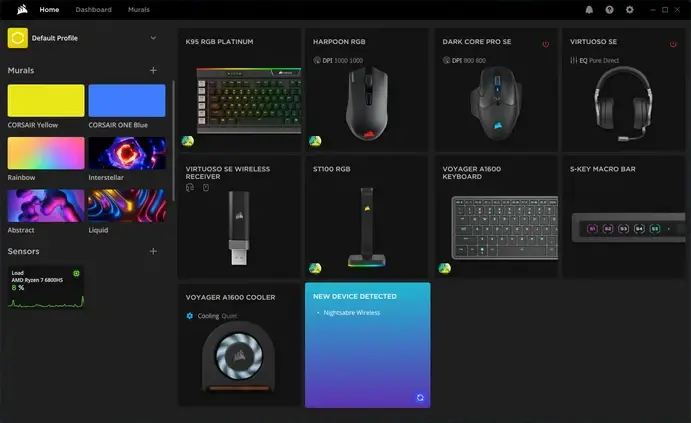
 Corsair heeft versie 5.42.70 van iCUE uitgebracht. Dit programma, dat beschikbaar is voor Windows en macOS, kan worden gebruikt om specifieke hardware van Corsair te beheren en aan te passen. Denk daarbij aan het in de gaten houden van temperaturen, het aanpassen van rgb-verlichting en de snelheden van de fans, en de instellingen van muis, toetsenbord en hoofdtelefoon. De changelog voor deze uitgave kan hieronder worden gevonden.
What’s New:Bug Fixes:
- Implemented new widgets for the Xeneon Edge including: Air Quality Widget and Touchpad widget
- Implemented new Song Details widgets for supported Corsair keyboards with LCD screens
- Added option to select Media (Picture, GIF, Video) as a background on some of widgets on Xeneon Edge, Pump LCD, and keyboard LCD screens
- Added a shortcut (Ctrl+Shift+D) to allow easy toggling of Xeneon Edge Widgets
- Added iCUE support for the Vanguard 96 and Vanguard 96 PRO
- Fixed an issue where if you click between Xeneon Edge pages too quickly, iCUE crashed
- Fixed an issue for the Xeneon Edge Clock widget where it displayed 24-Hour time incorrectly
- Fixed an issue for Xeneon Edge Calendar Widget where it did not update at midnight
- Fixed an issue for Philips Hue where when selecting zones in Quick Lighting Zone, the Lighting Type panel disappeared
- Fixed an issue for NVIDIA Plugin x 3080 Ti FE where the Quick Lighting Zone function was stuck
- Fixed an issue for NVIDIA Plugin x 3080 Ti FE where it was missing the Quick Lighting Zone in the Lighting Effect 1 tab

:strip_exif()/i/2007971018.webp?f=thumbmedium)
:strip_icc():strip_exif()/u/793705/crop57de4b2cc3582_cropped.jpeg?f=community)
/u/71954/crop5daf689d5ff80.png?f=community)
:strip_icc():strip_exif()/u/22610/87.jpg?f=community)
:strip_icc():strip_exif()/u/5004/crop5d4ade8573fc1_cropped.jpeg?f=community)
:strip_icc():strip_exif()/u/148466/crop67a9f8be8f987_cropped.jpg?f=community)

:strip_icc():strip_exif()/u/45777/CLoud-150x100.jpg?f=community)
:strip_icc():strip_exif()/u/479301/crop5dbc137306107_cropped.jpeg?f=community)