 PicView is een gratis programma voor Windows en macOS waarmee afbeeldingen kunnen worden bekeken. Het kan overweg met de gangbaarste afbeeldingsformaten, kan simpele bewerkingen doen zoals roteren, vergroten, verkleinen en bijknippen, kan EXIF metadata tonen en bewerken, heeft thema's en kan in meerdere talen worden gebruikt, waaronder in het Nederlands. Versie 4.1 is uitgekomen en hierin zijn de volgende veranderingen en verbeteringen aangebracht:
Highlights
- PDF Export: Save any image as a PDF directly from the Print Preview window.
- Archive Navigation: Added support for navigating to the next/previous archive file, such as .cbz files.
- Searchable Shortcuts: Keybindings in the Application Shortcuts window are now searchable.
- Improved RAW Support: Manually constructed Exif profiles for formats like .cr2 that previously lacked data.
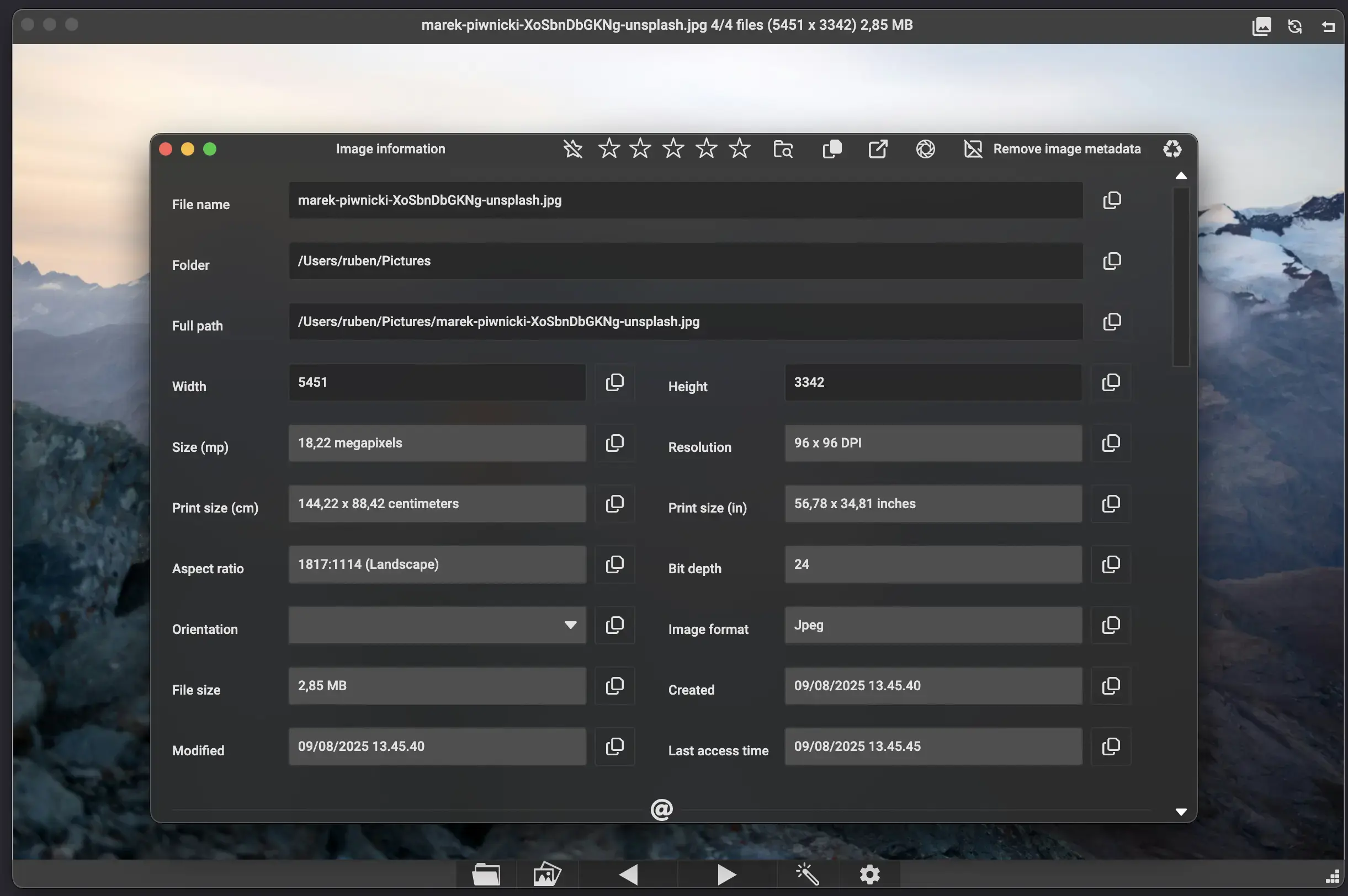
Image InformationPrint Preview
- Scaling Improvements: The Image Information window now scales more effectively when resizing.
- Exif Handling: Added support for reading Exif information by manually constructing profiles for files like .cr2.
- Bug Fix: Fixed a crash occurring when the day of the week (-ddd) was included in the OS date format.
macOS Updates
- Save as PDF: Added a standard Save as PDF option to convert images directly to PDF.
- Print Sources: Fixed an issue where only images saved as local files could be printed.
- Visual Fix: Fixed a bug where image effects were not applied when opening the print preview window.
Navigation
- Clipboard Support: Added support for copying files directly to the clipboard.
- UX Improvements: * The cursor position now stays on the next/previous buttons when changing images.
- Added cursor movement support when clicking rotation on the macOS titlebar.
- Feature Parity: Added the Print Preview window version for macOS.
Bug Fixes and Performance
- Closing: The application can now be closed from fullscreen by pressing Esc.
- Lock zoom: Added an option to not change the zoom level when changing image.
- Crop Tool: Fixed multiple bugs in the Crop functionality.
- Stability: Fixed null reference exceptions and blank screen issues when opening unreadable files at startup.
- UI Polish: Fixed the hoverbar fading in while the gallery is open.
- Logic Fixes: Corrected keybinding mappings for scroll and rotate actions.
- Performance: * Optimized file extension checks.
- Refactored debug logging methods.
- Maintenance: Updated to Avalonia 11.3.10.
- Localization: Updated Korean translations

:strip_exif()/i/2008421664.webp?f=thumbmedium)
 Maar ik gok dat het gewoon is zoals het er staat: je exporteert een plaatje naar een ander formaat, in dat geval naar PDF.
:strip_icc():strip_exif()/u/332059/Pineka.jpg?f=community)