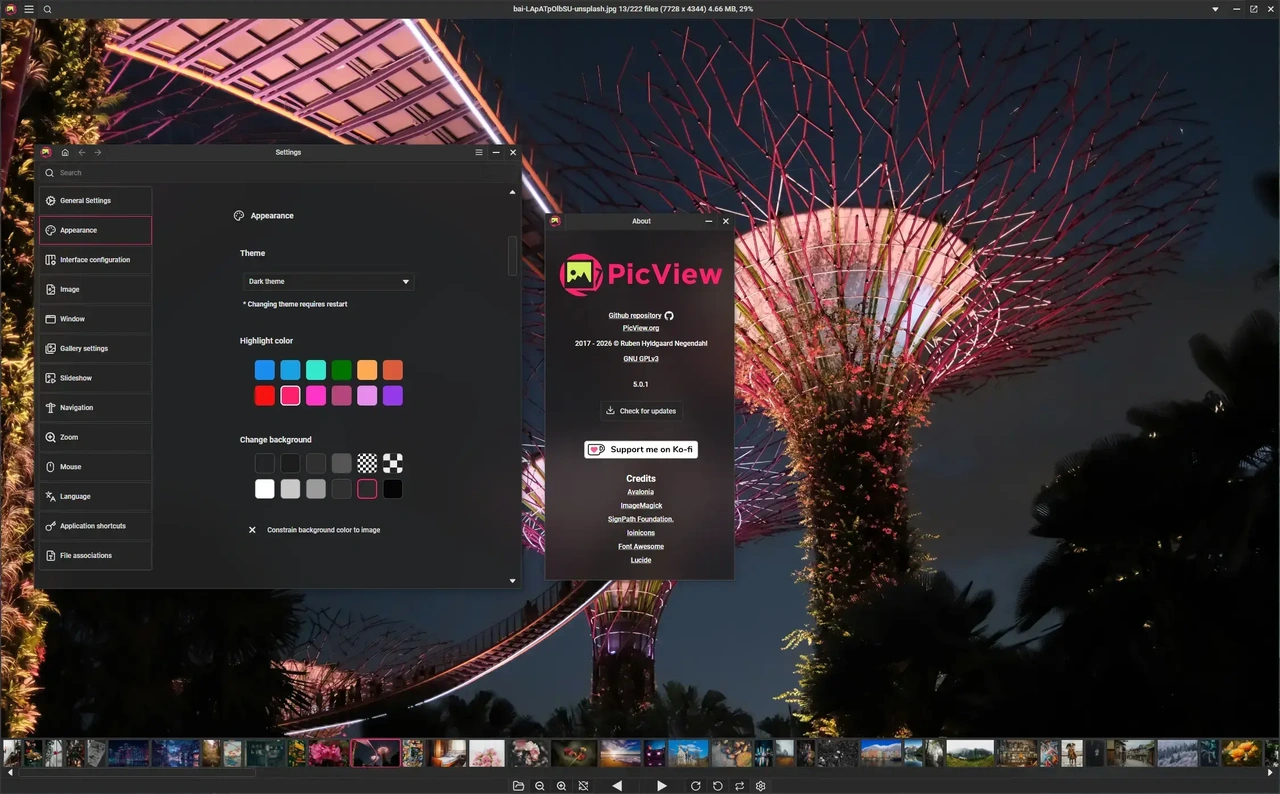
 PicView is een gratis programma voor Windows en macOS waarmee afbeeldingen kunnen worden bekeken. Het kan overweg met de gangbaarste afbeeldingsformaten, kan simpele bewerkingen doen zoals roteren, vergroten, verkleinen en bijknippen, kan EXIF-metadata tonen en bewerken, heeft thema's en kan in meerdere talen worden gebruikt, waaronder in het Nederlands. Versie 5.2.2 is uitgekomen en hieronder is te vinden wat daar allemaal in veranderd is.
What's new
- Back and Forward history per tab: each tab keeps its own view history, so Back and Forward step through the images it has shown, including TIFF and archive pages. History follows files you rename.
- Close Image: close the current image without closing the application or tab (#443).
- Keywords in Image Information: view, edit and copy an image's
keywordstag (#432).- Respect folder structure inside archives: a new Settings option, on by default. Archive pages in several folders open in folder order (
Volume 01/001.jpgbeforeVolume 02/001.jpg) instead of interleaved.- Hide the gallery in large folders (settings file only, off by default): set
HideGalleryAtFileCountto hide the gallery in folders with at least that many files (#394).Improvements
GalleryArchives
- The gallery opens centered on the current image.
- With
Side-by-sideon, both images of the pair are highlighted in the gallery.- Slow scrolling adds up instead of snapping back.
- Gallery loads use less memory and read file details more cheaply, so large folders load faster.
- Copying an image from the gallery copies the original full-size image, not the thumbnail.
Windows and layout
- A corrupt page is skipped instead of failing the whole archive.
- An archive overtaken by another while loading no longer leaves its extracted files behind.
- Renaming an archive in its folder keeps its history entries.
- The "Always uncompress entire archive folder" setting is removed. Extraction is now always staged. Old settings files still load.
Settings and keybindings
- Resize and Convert windows remember where they were closed, like the other tool windows.
- A remembered window position is applied only if the window overlaps a screen, instead of being moved to the top-left corner.
- Escape closes Image Information, Batch Resize and Resize again while a number box has focus.
- AutoFit windows:
- Turning AutoFit on places the window the same way a resize does.
- A natively maximized window stays where it is after a resize.
- A window that starts fullscreen moves to its screen's origin, so the taskbar does not cover it (Windows).
- Screen Margin changes apply to every open window at once. A negative Screen Margin from an older settings file is corrected.
- The start-up menu opens at a size that shows the full logo.
- Hover bar: easier to reveal over a docked gallery. A hover bar that can't fade in no longer takes clicks.
- The File History and Favorites menu no longer blinks or jumps back to the top when opened.
- Gallery keyboard navigation has moved to contextual actions:
- Up and Down in Normal mode scroll an image taller than the window. When nothing else claims them, they keep rotating the image.
- When the gallery is expanded, Up, Down, Left and Right navigate the gallery.
- Left and Right (A/D) go to the previous or next image.
- Keybind files are migrated to settings version 3.1. Your custom keybinds are kept, and the default Left and Right keybinds are added.
- The "Show docked gallery when UI is hidden" setting is removed.
Fixes
- Renaming no longer silently overwrites an existing file. The rename is refused with "A file with that name already exists", and the dialog stays open. Case-only renames still work.
- The rename dialog selects the name without its extension (#439).
- Renaming a shown image in Explorer keeps its zoom and rotation. The title shows its real size instead of 0 × 0.
- Saving an image that is both flipped and turned a quarter turn (once or three times) now matches what you see. Before, it was written 180° off.
- The zoom percentage popup shows the new image's percentage.
- A new image in a background tab no longer resets the zoom of the tab you are looking at. A tab that loaded its image in the background fits it correctly when you switch to it.
- Image Information updates correctly when you switch between tabs. It shows dimensions for clipboard, base64 and URL images, and clears them on a blank tab.
- Open last file now opens the last file reliably.
- An archive image that finishes loading late no longer replaces the one you moved to.
- The background is applied at startup again (#444).
- Two Main Windows: resizing one no longer shows or hides the other's title bar and bottom bar buttons.
- Fixed unintentional empty horizontal scroll with middle mouse button scrolling when
AutoFitis enabled.- Detaching tabs into new windows now previews and drops at the given size from the origin window.
- Don't save window position when minimized and don't start the window outside of visible screen area (441).
Misc
Languages
- Korean translation updated in #433.
- Danish wording for the archive setting improved. Keyword strings translated.
Internal updates
- Updated
Avaloniato 12.1.5- Updated
Magick.NETto 15.1.0- Updated
Magick.NET.AvaloniaMediaImagingto 2.0.1