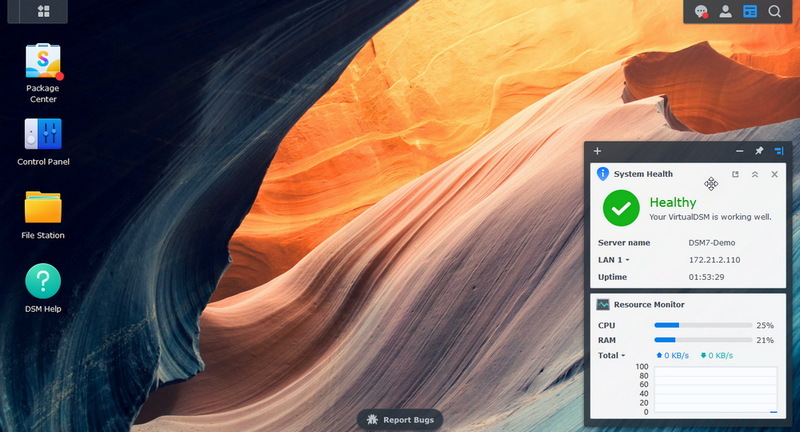
 Synology heeft versie 7.3.2 van Disk Station Manager uitgebracht. Synology DSM is de beheersoftware die op diverse nasproducten van het bedrijf draait. De Disk en Rack Stations bieden meer dan alleen extra opslagruimte. Zo kunnen er extra pakketten worden geïnstalleerd om het apparaat bijvoorbeeld ook als mediaserver, home-automationserver, webserver, printserver of back-upserver te laten functioneren. De mogelijkheden zijn eindeloos. Sinds versie 7.3 is het niet langer verplicht om schijven van Synology zelf in de nieuwere modellen te gebruiken. In deze uitgave zijn de volgende problmen verholpen:
Fixed IssuesImportant Note
- Fixed an issue where backup files containing encrypted volumes might not function properly when restored to DSM 7.3.
- Fixed an issue where users might be required to re-enter their license keys after updating to DSM 7.3 when migrating a system or operating in an SHA-enabled environment.
- Fixed an issue where users could not authenticate using Approve sign-in or FIDO2-compliant hardware security keys before authorization in OAuth Service.
- Fixed an issue where users might fail to authenticate when configuring SSO clients to use C2 Identity as the identity provider with the SAML protocol.
- Fixed an issue where DSM might fail to send files from File Station as attachments when accounts were configured through Outlook.
- Fixed an issue where notification profiles might be incorrect when restoring from configuration backup files.
- Fixed an issue that prevented certain UPnP renderers from playing MP3 files after updating to DSM 7.3.
- Fixed a security vulnerability.
- After installing this update, you will not be able to downgrade to a previous DSM version.
- This update will restart your Synology NAS.
- If auto update does not run, perform a manual update in Control Panel. Before updating, follow the instructions and complete the required actions to ensure success.
- To uphold our commitment to quality, every DSM release undergoes rigorous validation. To ensure optimal stability, the models listed below will not receive this update on your device and will remain on their most suitable version. You can only download the upgrade patch from Synology Download Center because you won't receive notifications for this update on your DSM.
- FS Series: FS3017, FS2017, FS1018
- XS Series: RS18016xs+, RS4017xs+, RS3617xs+, RS3617xs, RS3617RPxs, RS18017xs+, DS3617xs, DS3617xsII, DS3018xs
- Plus Series: RS2416RP+, RS2416+, DS916+, DS716+II, DS716+, DS216+II, DS216+, DS1817+, DS1517+, RS2818RP+, RS2418RP+, RS2418+, RS818RP+, RS818+, DS1618+, DS918+, DS718+, DS218+, RS1219+
- Value Series: DS116, DS216, DS216play, DS416, DS416play, DS1517, DS1817, DS418play, RS217, RS816
- J Series: DS216j, DS416j, DS416slim, DS419slim, DS418j, DS218j, DS119j

:strip_exif()/i/2007621782.png?f=thumbmedium)
:strip_exif()/i/2007459718.png?f=thumbmedium)
:strip_exif()/i/2005982346.png?f=thumbmedium)
:fill(white):strip_exif()/i/2003565362.jpeg?f=thumbmedium)
:fill(white):strip_exif()/i/2005627336.jpeg?f=thumbmedium)
:strip_exif()/i/2005938898.png?f=thumbmedium)
:strip_exif()/i/2006012412.png?f=thumbmedium)
:fill(white):strip_exif()/i/2007622688.jpeg?f=thumbmedium)
:strip_exif()/i/2005678090.png?f=thumbmedium)
:fill(white):strip_exif()/i/2005571242.jpeg?f=thumbmedium)
:fill(white):strip_exif()/i/2003565400.jpeg?f=thumbmedium)
:fill(white):strip_exif()/i/2005466618.jpeg?f=thumbmedium)
:strip_exif()/i/2001660049.png?f=thumbmedium)
:strip_exif()/i/2001749789.png?f=thumbmedium)
:fill(white):strip_exif()/i/2001663509.jpeg?f=thumbmedium)
:fill(white):strip_exif()/i/2001698443.jpeg?f=thumbmedium)
:fill(white):strip_exif()/i/2002224273.jpeg?f=thumbmedium)
:fill(white):strip_exif()/i/2002869572.jpeg?f=thumbmedium)
:fill(white):strip_exif()/i/2005773332.jpeg?f=thumbmedium)
/u/2501/crop6a620c8d4224f_cropped.png?f=community)

/u/111158/crop6235ec7a13a90.png?f=community)
:strip_icc():strip_exif()/u/291199/crop5e819fd8996da_cropped.jpeg?f=community)
:strip_icc():strip_exif()/u/4634/ratbuddy_ORIGINAL.jpg?f=community)
:strip_icc():strip_exif()/u/16043/modriaan-compositie_dambord.jpg?f=community)
:strip_icc():strip_exif()/u/434053/SwanSong.jpg?f=community)