 Auto Dark Mode is een programma dat extra opties geeft voor het wisselen tussen een licht en donker thema in Windows. Zo kan het wisselen worden ingesteld op een vast tijdstip of op basis van zonsopgang en -ondergang. Ook is het mogelijk om de achtergrond, accentkleur en zelfs de muiswijzer aan te passen wanneer er geschakeld wordt. Verder kunnen er sneltoetsen worden ingesteld en kan het schakelen worden uitgesteld wanneer er bepaalde programma's of processen draaien. Versie 11.1.0 is uitgekomen en hier zijn de volgende veranderingen en verbeteringen in aangebracht:
Auto Dark Mode 11.1.0It took some time, but with this release of Auto Dark Mode all the improvements of the past ten months are coming to your machine. We fixed many well-known issues from the original 11.0 release, including the crash when opening the Wallpaper page under Personalization. We also brought back some features that got lost while modernizing the user interface. For example, you can again just change the accent color of your taskbar depending on the current theme. Additionally, we made some nice quality-of-life improvements, such as a redesigned accent color page, inspired by the design of the Windows Settings app. All these fixes make 11.1 a rock-solid release, with the quality you usually expect from the Auto Dark Mode project.
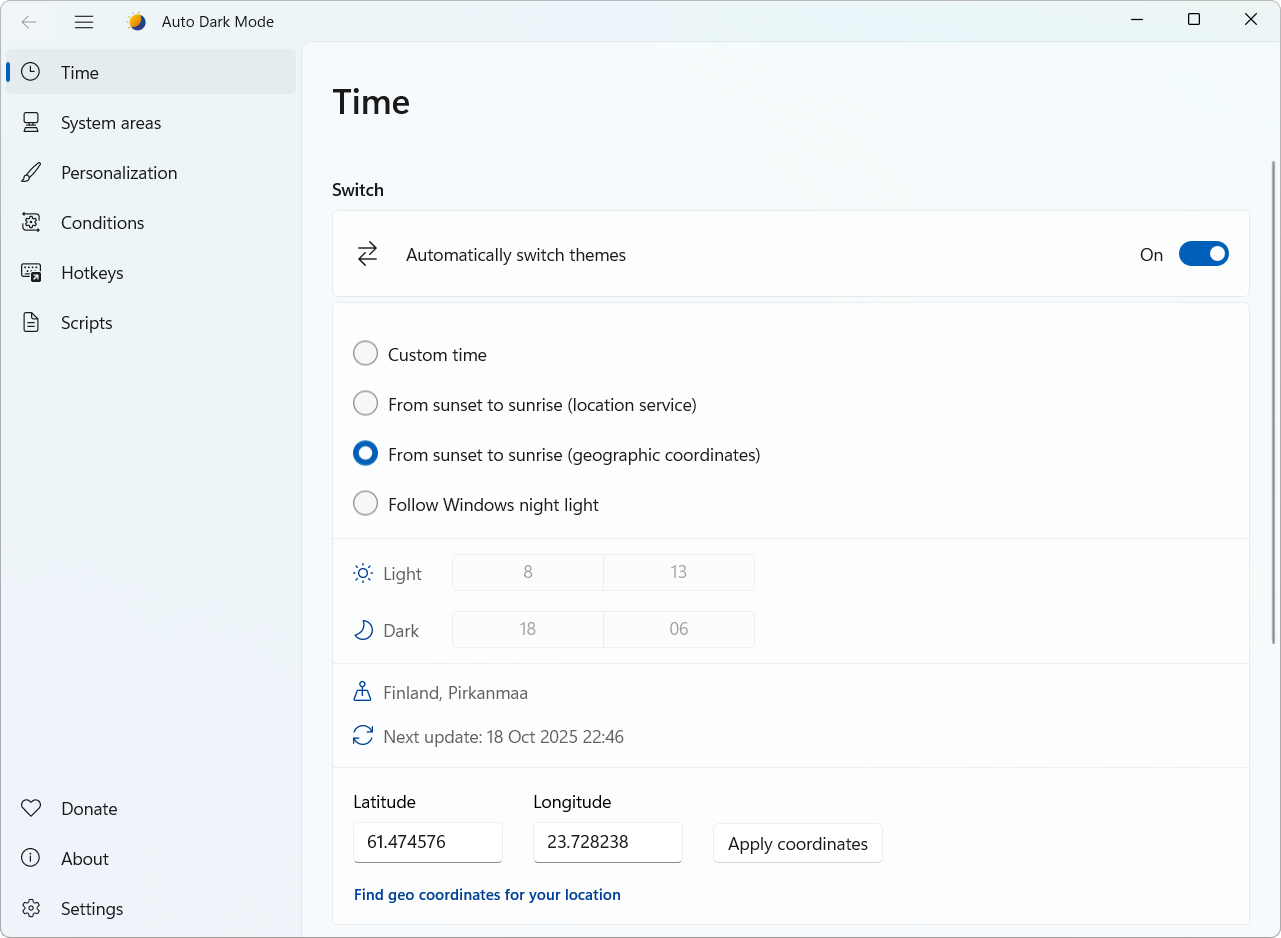
This release also includes an exciting new feature for all users with an ambient light sensor on their machine. Usually these are notebooks or tablets. Auto Dark Mode can now read the sensor values to adapt the theme to your environmental brightness. You can set a custom threshold, so you can define at which point your room is too dark for the light mode. You can enable this feature on the Time page.
New FeaturesImprovements
- Added theme switching based on ambient light sensors as an alternative to the time-based switch (resolves #1070 in #1168)
- New design for the Accent Color page, including a new contrast check for custom colors, just like in Windows Settings (in #1111)
- Added a warning to the Auto Dark Mode settings if PowerToys Light Switch is enabled (in #1218)
- Re-implemented accent color switching for the taskbar if Windows mode is set to always dark (resolves #1133 and #1121)
Fixes
- Improved the hotkey page. It's no longer necessary to deactivate hotkeys before modifying them. We also added real-time conflict checking, to ensure there are no duplicate or invalid shortcut keys (resolves #702 in #1119)
- Improved discoverability of the Aggressive DWM Refresh feature, now called More aggressive theme switch in Settings. This feature tries to prevent theme switching glitches by forcing a full DWM refresh after every theme switch. On some machines this feature can cause lags.
- You can now set a custom waiting time value before the aggressive DWM refresh takes effect in the configuration file under DwmRefreshViaColorizationDelay. This can be helpful on slow machines.
- If you use Windows theme switch, you will now see the proper names for Windows built-in themes (resolves #1208 in #1209)
- Re-implemented warning if location access is not granted for Auto Dark Mode (in #1127)
- DarkThemeOnBattery now works if auto theme switching is disabled
- When Don't switch themes unless the system is idle is enabled, Auto Dark Mode now still switches the theme after resuming from hibernate (resolves #1155)
- Improved the look of the About page (in #1183)
- Improved mouse cursor switching
- Improved window closing handling
Known Issues
- Resolved a common crash when opening the Wallpaper page under Personalization (resolves #1196)
- Prevented the global wallpaper integrity check from falsely considering disconnected monitors
- Resolved a crash when opening the Accent Color page under Personalization (in #1117)
- Resolved an issue where Auto Dark Mode wasn't able to update itself because Windows blocked file access without elevation
- The taskbar jump list now works properly (resolves #1102 in #1135>
- Fixed a crash occurring when interacting with settings expander items
- Fixed a wake-from-sleep lag (resolves #1230 in #1232)
- Fixed a scenario where the first automatic theme switch after boot from Dark Mode would result in a color mismatch (resolves #1227)
- Fixed a bug where the context menu of the tray icon would state to pause the auto switch until next sunset, although it should be until sunrise (resolves #1205 in #1207)
Known limitations
- The process list on the condition page isn't filtering processes while typing (tracked in #1105).
- We are investigating in some config saving issues, resulting in app language and window size not being saved properly (tracked in #1249).
Auto Dark Mode comes with a few limitations, either due to Windows or because of technical reasons. You can find the full list here: List of known limitations

:strip_exif()/i/2007844690.png?f=thumbmedium)
:strip_icc():strip_exif()/u/335350/crop61a63ee1f224f.jpg?f=community)


:strip_icc():strip_exif()/u/8254/1.jpg?f=community)
