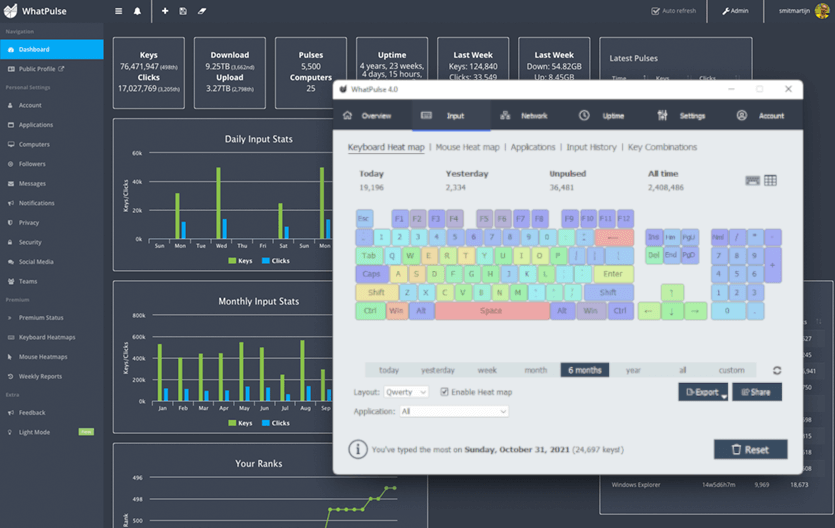
 WhatPulse is een programma dat kan bijhouden hoeveel je hebt getypt, hoeveel keer je met de muis hebt geklikt en welke afstand de muiscursor heeft afgelegd. Al deze statistieken worden door de WhatPulse-client bijgehouden en nadat deze gegevens 'gepulst' zijn, worden ze door de centrale server van WhatPulse verzameld. Op deze manier kun je inzicht krijgen in hoeveel je hebt getypt in vergelijking met andere gebruikers en teams. Afgezien van statistieken verzamelt het programma geen informatie en het is dan ook zeker geen keylogger. Op ons eigen GoT is een hoekje te vinden waar fanatieke WhatPulsers al sinds 2004 uithangen. Clients zijn beschikbaar voor Windows, Linux en macOS. Eerder deze maand is versie 6.3 verschenen en nu is er een update beschikbaar gekomen met enkele kleine verbeteringen.
WhatPulse 6.3.1
A small follow-up release to 6.3 with a few bug fixes and interface improvements.
Scroll counting fixesInput stats
- Fixed an issue where scrolls weren't being counted for some mice using software such as Logitech Options+
- Improved scroll direction detection for certain high-resolution mouse wheels.
Other improvements
- Gamepad and dictation device buttons once again show their correct names in the input statistics.
- Slightly larger tray menu icons and text for better readability.
- Added a Download avatar packs link in Settings → Geek Window, making it easier to browse and install new desktop avatars.
WhatPulse 6.3
WhatPulse 6.3 adds window title tracking, a redesigned tray popup, the new Pulsar desktop avatar, a cleaner Settings screen, and a large round of stability and correctness fixes.
Window title trackingWhatPulse can now break your stats down by window title, not just by application. Expand any app on the Uptime and Input > Applications pages to see the documents, sites, and windows you spent the most time in - along with keys, clicks, scrolls, distance, and words per title - and use the search box to find a title across all your apps at once.
Window title privacyBecause titles can be personal, there is a full privacy layer. Turn off title tracking for specific apps (their uptime still counts), or add words and patterns to hide sensitive titles across every app. Three ready-made filters are included for emails, credit card numbers, and login details in web addresses. Titles from incognito and private windows are always hidden.
Group window titles into projects and workspacesLong lists of per-title rows fold into meaningful groups: VS Code workspaces, IDE projects, Outlook folders, and similar. Grouping is computed in real time on Uptime and Input > Applications, with a single toggle on each page. Search stays flat so a matching title always shows up.
Redesigned tray popupThe tray menu is now a compact dashboard. A stats grid shows your Keys, Clicks, Words, Uptime, Download, and Upload, with a Today / Week / Unpulsed switch. Everything you had before is still there - Pulse, open WhatPulse, view your online stats, the Geek Window, and profile switching - just laid out to read at a glance.
Pulsar - a new geek window styleA Bongo Cat inspired desktop avatar that bounces on your keystrokes and clicks, falls asleep when you stop typing, celebrates after a successful pulse, and shows a small stats line underneath. You can also swap in your own artwork with custom avatar packs. Switch between the classic geek window and Pulsar under Settings > Geek Window.
More in this release
- A cleaner Settings screen. The exclusion and list screens throughout Settings now share one consistent design - app exclusions are a single list with a type picker, and network interfaces, Web Insights exclusions, window title filters, profiles, and milestones all use the same tidy, searchable table.
- See your update install. User-initiated updates now show a small progress window with a status line and progress bar, from download through install to restart. Automatic background updates stay silent, as they should.
- Correct keyboard heatmaps on non-QWERTY layouts. Layouts like AZERTY, QWERTZ, Dvorak, and Colemak now light up the right keys on both macOS and Windows, counted and drawn by the letter you actually type, with better auto-detection of punctuation-position letters, dead keys, and the number row. (QWERTY users are unaffected; the macOS change is forward-only.)
- Apps that never reached your online stats. Fixed apps - often newer ones - never appearing in your online profile despite being tracked locally. This sometimes happened when there are a lot of apps.
- Closing WhatPulse is now smoother and more reliable - sometimes the app would hang for a second or two, sometimes crashing on exit.
- Fixed stats silently freezing after a laptop woke from sleep: if your Wi-Fi adapter took a few seconds to reconnect, monitoring could stay stopped while the clock kept ticking. WhatPulse now keeps retrying until your connection is back.
- Fixed the Uptime page not showing new data on the "All" time period when the window was left open past midnight.
- The Input > Key combinations table now grows with the window instead of stopping at a fixed height.
- The milestones log no longer grows without bound; it keeps the last 100 records.
- WhatPulse is now available in Serbian, in both Cyrillic and Latin scripts (Settings > General > Language).
- Linux: fixed a crash that could happen when input devices (keyboards, mice, USB dongles) were unplugged, suspended, or disconnected, and a separate crash that hit every few hours of idle time as an internal watchdog slowly ran out of system resources.
- Linux builds now ship on Qt 6.9, bringing the Linux version up to date with the latest framework release.

:strip_exif()/i/2008281328.png?f=thumbmedium)
/u/426753/crop56142b6d8c534_cropped.png?f=community)


:strip_exif()/u/19665/ElfEverQuestTweakersSmall.gif?f=community)