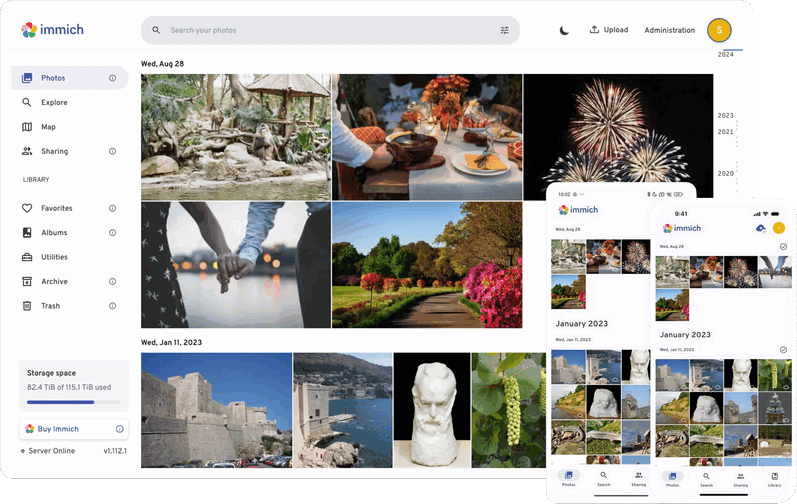
 Versie 2.4.0 van Immich is uitgekomen. Immich is een opensource oplossing voor het opslaan en beheren van foto's en video's. Het draait in Docker, waardoor je alles in eigen hand hebt en niet afhankelijk bent van een derde partij. Het wordt door velen als een serieuze concurrent van Google Photos en Apple Photos beschouwd. De media kan via een webbrowser worden benaderd en er zijn ook apps voor Android en iOS. Een demo van Immich is hier te vinden. Hieronder zijn de belangrijkste veranderingen die in deze uitgave zijn aangebracht voor je op een rijtje gezet
HighlightsWelcome to the release v2.4.0 of Immich. This release focuses on bug fixes, QoL improvements, and polished UI components and animation across mobile and the web. Let’s dive right in.
Show the owner's name in the shared album.
- Show the owner's name in the shared album
- Command palette
- Change search type directly in the search bar
- Better action button placement in the mobile asset viewer
- Notable fix: fixed an issue where metadata extraction could fail on high concurrency
On the web, in shared albums, you can now toggle an option to display the asset’s owner name at the bottom right corner of the thumbnail.
Command paletteThe web app now has an integrated command palette, which can be opened
Change search type directly in the search barCtrl+Kon Windows/Linux orCmd+Kon macOS. This first iteration of this lets you quickly navigate between administration pages by typing the name of the page you want to go to. It also already supports some common actions when on the respective admin pages, many of which also support shortcuts. Have a look around and check them out!You can now click on the pill from the search bar to select a different search type without opening the search filter panel.
Better placement of action buttons in the mobile asset viewerPreviously, to perform a specific action on the asset, you needed first to swipe up to open the detail panel, then swipe all the way to the right and tap the action. It limits the discoverability of some actions. To help resolve that issue, all the action buttons in the detail panel are now moved to the drop-down menu when tapping on the vertical dot icon (or kebab menu), along with some buttons that used to be on the top bar, clearing up space to display more helpful information when viewing the asset.

:strip_exif()/i/2007505872.png?f=thumbmedium)
:strip_icc():strip_exif()/u/364924/crop651c5ddadde89_cropped.jpg?f=community)

/u/1935136/crop68a86d7522baf_cropped.png?f=community)
/u/1902868/crop6461dd2c95bb4_cropped.png?f=community)
/u/143137/crop6aad6af1af81a_cropped.png?f=community)
:strip_icc():strip_exif()/u/52016/Alfa-TiMo-square-60.jpg?f=community)
:strip_icc():strip_exif()/u/215526/b97286b06fc9a363a8961c6c.jpg?f=community)
/u/317385/crop5de254a3e0024_cropped.png?f=community)
