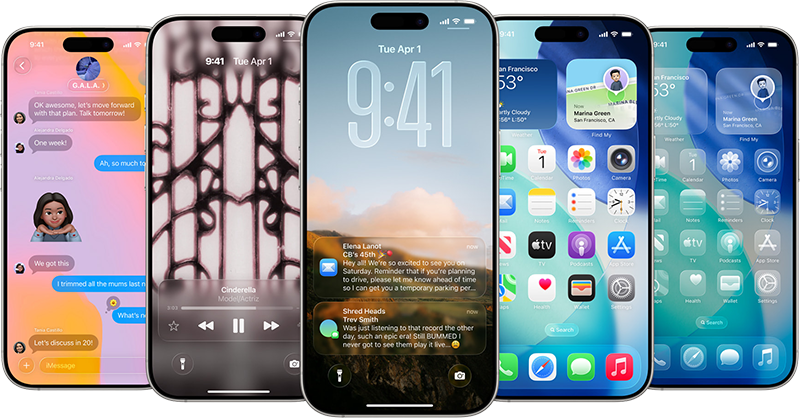
 Apple heeft een update voor versie 26 van iOS uitgebracht. In iOS 26, dat geschikt is voor de iPhone 11 en hoger, heeft onder meer de gebruikersinterface een nieuwe look gekregen met de naam 'liquid glass', waarbij alle knoppen en menu's transparant zijn en de content erachter nog gedeeltelijk zichtbaar is. De iOS 26-update brengt verder een vertaalfunctie in onder meer Berichten, FaceTime en Telefoon, en een nieuwe interface voor de Camera- en Safari-app. In versie 26.2 zijn de volgende veranderingen en verbeteringen aangebracht:
iOS 26.2This update includes enhancements to Apple Music, Podcasts, and Games, as well as other features, bug fixes, and security updates for your iPhone.
Apple MusicPodcasts
- Favorite Songs playlist appears in Top Picks on the home tab
- Offline lyrics for downloaded songs so you can view them without an internet connection
Games
- Automatically generated chapters make it easier to navigate episodes
- Links to mentioned podcasts let you see and follow other podcasts mentioned in the episode you’re listening to directly from the player and transcript
This update also includes the following enhancements and bug fixes:
- Filters in the Games library let you find games by category, size, and more
- In-game challenge score banners provide real-time updates when someone new has taken the lead
- Improved support for connected controllers such as Backbone and Razer
- Additional Lock Screen time customization option lets you further adjust its appearance, giving the Liquid Glass material more or less opacity
- Enhanced Safety Alerts can inform you about imminent threats such as floods, natural disasters, and other emergencies, with rich information like a map of affected areas and links to additional safety guidance (available in the U.S.)
- Alarms for Reminders help you stay on top of urgent tasks, and provide snooze and Live Activity support if you’re not ready to check the reminder off
- AirDrop codes offer an additional layer of verification when using AirDrop with unknown contacts by providing a code on the receiver’s device that the sender must enter to complete the transfer
- Apple News Section links at the top of the Today feed offer easy navigation to popular topics like Sports, Politics, Business, and Food
- Multipack accessory pairing in the Home app lets you use the same setup code to easily enroll multiple accessories when sold together
- Flash for alerts in Accessibility Settings offers the additional option to have the device screen flash when you receive a notification
- Tables in Freeform can hold text, images, documents, and drawings, with cells that intelligently resize to fit, bringing structure to the infinite canvas
- Fixes an issue where pre-release albums in the Apple Music library were not immediately playable at their release time
- Fixes an issue where a Privacy and Security setting may incorrectly be marked as managed by an enterprise organization
For information on the security content of Apple software updates, please visit this page.
Some features may not be available in all regions or on all iPhone models. To learn more, please visit this page.
Software updates, like this one, add new features and improvements that may affect performance and/or battery life. To learn more, please visit this page.

:strip_exif()/i/2007721668.png?f=thumbmedium)
:strip_exif()/i/2007721724.png?f=thumbmedium)
:fill(white):strip_exif()/i/2006928442.jpeg?f=thumbmedium)
:strip_exif()/i/2007721742.png?f=thumbmedium)
:fill(white):strip_exif()/i/2006085380.jpeg?f=thumbmedium)
:fill(white):strip_exif()/i/2006928554.jpeg?f=thumbmedium)
:strip_exif()/i/2007721700.png?f=thumbmedium)
:fill(white):strip_exif()/i/2007273598.jpeg?f=thumbmedium)
:fill(white):strip_exif()/i/2006085286.jpeg?f=thumbmedium)
:fill(white):strip_exif()/i/2006928586.jpeg?f=thumbmedium)
:strip_exif()/i/2003921462.png?f=thumbmedium)
:fill(white):strip_exif()/i/2006085342.jpeg?f=thumbmedium)
:strip_exif()/i/2004606072.png?f=thumbmedium)
:strip_exif()/i/2004606044.png?f=thumbmedium)
:fill(white):strip_exif()/i/2006085350.jpeg?f=thumbmedium)
:strip_exif()/i/2004968528.png?f=thumbmedium)
:fill(white):strip_exif()/i/2005333556.jpeg?f=thumbmedium)
:fill(white):strip_exif()/i/2005333580.jpeg?f=thumbmedium)
:fill(white):strip_exif()/i/2005333472.jpeg?f=thumbmedium)
:fill(white):strip_exif()/i/2006928496.jpeg?f=thumbmedium)
:strip_exif()/i/2004606086.png?f=thumbmedium)
:strip_exif()/i/2003060706.png?f=thumbmedium)
:strip_exif()/i/2003921420.png?f=thumbmedium)
:strip_exif()/i/2003060680.png?f=thumbmedium)
:strip_exif()/i/2003921468.png?f=thumbmedium)
:strip_exif()/i/2004606116.png?f=thumbmedium)
:strip_exif()/u/112253/004.gif?f=community)
:strip_icc():strip_exif()/u/2370468/crop6901c511c81b0_cropped.jpg?f=community)
:strip_icc():strip_exif()/u/411101/crop636bd3ebad62b_cropped.jpg?f=community)

 60hz VS 120hz.
:strip_icc():strip_exif()/u/443373/crop5ed10069d8f77_cropped.jpeg?f=community)
:strip_icc():strip_exif()/u/1029209/crop61c1b12ab547f_cropped.jpg?f=community)
/u/176086/crop5f0823fa5e8d6_cropped.png?f=community)
:strip_icc():strip_exif()/u/551980/TB5thumb.jpg?f=community)
:strip_icc():strip_exif()/u/46311/crop67969c002c0ce_cropped.jpg?f=community)
/u/82950/crop5d5571a975f1d_cropped.png?f=community)