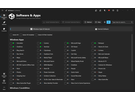
 Winhance is een programma waarmee Windows kan worden aangepast. Zo kunnen ongewenste programma's en functionaliteit verwijderd en uitgeschakeld worden, zijn er aanpassingen die de prestaties verbeteren, en kan het uiterlijk worden kunnen aangepast. Daarnaast is het mogelijk om installatiemedia te maken waar alle gemaakte instellingen inzitten, zodat bij de volgende herinstallatie van Windows het meteen zoals gewenst is. Een zeer uitgebreide demo van het programma kan hier worden bekeken. Versie 26.11.27 van Winhance is uitgekomen, release 28, en hier zijn de volgende veranderingen en verbeteringen in aangebracht:
What's newBuild a bootable Windows USB, switch between settings profiles from the tray, and search the WinGet catalog without leaving Winhance. This release also rebuilds how Winhance reads, applies, and backs up your settings, so you can see when a value is custom instead of having it shown as the wrong option.
Windows installation media (WIMUtil)Answer files and config Builder
- Build a bootable USB or save an ISO without installing
oscdimg. Choose which Windows editions to keep and preselect the setup language. Choose WIM for a quicker build or ESD for a smaller image. The USB writer uses two partitions. USB flash drives are shown by default; listing USB hard drives is opt-in.- Service the Windows image offline, add the latest regular cumulative Windows update available for the media (excluding optional previews), and remove Edge from the image. WIMUtil shows time and disk-space estimates and tells you if a change has to run during Setup instead. (#446), (#429), (#747), and (#761).
- Generate an answer file in Builder, bring your own XML, or use one already on the media. Validation explains what it found without stopping you from continuing. Read-only files can be copied from an ISO, and the ISO step shows the full output path. (#765) and (#732).
- Driver staging keeps nested firmware, services, and other package files in their original subfolders. Drivers can be installed during Windows Setup, and WIMUtil treats the driver's reboot-required result as success. (#822).
Profiles, tray, and updates
- The answer-file editor covers Windows architecture (x64, ARM64, or x86), edition, product key, local accounts, computer name, setup language and region, Setup screens and privacy choices, power plan, and Start pins on supported builds. (#746), (#727), (#756), and (#789).
- Autounattend mode keeps the Touch Keyboard and Handwriting Panel Service on Automatic for Windows 11 Setup, even if imported or current settings use a different value. Windows needs this service to enter the account name during initial setup (OOBE).
- Set the disk and partition layout, including the system and recovery partition sizes. Move user folders to another drive and identify that drive by its role instead of relying only on a drive letter. (#436) and (#447).
- Stage selected apps and your own installers on the media for offline installation. An answer file can also run your own system-wide or per-user script, install .NET Framework 3.5, and clean up old components, downloads, temporary files, and logs after Setup. You can also choose a compact install, choose what to do about hardware checks, and decide whether to add Winhance to the new PC.
- Open, edit, and resave an existing config in Builder. Start from this PC, Winhance recommendations, or Windows defaults, and configure settings for hardware the current PC doesn't have. Config files retain the PC name and actual custom values. Config review no longer leaves Apply Config disabled just because some settings aren't shown. (#729), (#740), (#778), and (#751).
- Apply a config from the command line with
Winhance.exe --config <file>. (#172).Software & Apps
- Save named settings profiles and switch between them from the tray. Settings shows which profile is active. Winhance Focus applies a fixed set of changes for gaming or recording without a restart, including notifications, updates, background activity, and power settings when plugged in. Winhance Everyday restores Windows defaults for the settings Focus changes, leaving other settings alone. Before Winhance restores the Optimize and Customize settings from your oldest saved backup. Save a custom profile if you prefer your own everyday settings. You can import a profile from a config, edit it in Builder, or have Winhance reapply it every time you sign in on a regular installation. Profiles change Optimize and Customize settings; they never install or remove apps, and some changes may need a restart. Recommended settings and Windows defaults are still available as config starting points. (#728).
- Winhance can start in the tray at sign-in, minimize to it, or stay there after you close the window. Check for software updates from the tray, or schedule daily or weekly checks and choose between notifications and automatic updates. Winhance checks for its own updates separately and can install a downloaded update when you exit.
- Settings shows background jobs that keep removed apps from coming back after Windows updates. Choose between Winhance doing the work itself and Task Scheduler running scripts, and review or clean up leftover tasks.
- Portable mode can copy your settings and history, so you don't have to start over when switching to it. (#762).
- Search beyond the bundled catalog with WinGet, view just installed apps, choose per-user or system-wide installation where supported, and export app lists to CSV with package IDs and publishers. (#785), (#575), (#763), (#782), and (#774).
- New catalog entries include FanControl, EarTrumpet, NVIDIA Control Panel, Samsung Magician, MPC-HC, qBittorrent, Internet Download Manager, Proton VPN, Plex, Plex Media Server, Plezy, MSI Afterburner, and .NET Runtime 9 and 10. UniGetUI now uses its current WinGet IDs and website. HiBit Uninstaller, Streamlabs OBS, and FreeFileSync are no longer in the curated list. (#766), (#741), (#745), (#730), (#704), (#697), (#767), and (#771).
- Enable Windows optional features and capabilities from one servicing window. The Windows apps list detects packages for the signed-in user. The installed app and runtime checks also handle OneNote, .NET runtimes, and Visual C++ redistributables more accurately, including packages with the newer Visual C++ v14 name. (#795), (#655), (#705), (#724), and (#812).
- Edge removal can keep WebView2 working and updating, with an option to remove WebView2 as well. Edge and OneDrive removal clean up stale uninstall entries. Removing Xbox apps no longer disables Game DVR. Widgets moved to Windows Apps & Features, where removal can offer an Explorer restart. Hardware-specific Windows AI packages are no longer offered as individual removal entries. The removal log now gives the actual count and says when there was nothing to remove. (#699), (#777), (#780), and (#806).
- WinGet reports failures and timeouts more clearly, and uninstall can handle an app installed in more than one scope. Fixed keyboard selection, select-all behavior, and the swapped Table and Compact view icons. The app lists remember where you were when you switch tabs or views. (#775), (#793), (#701), and (#721, #722).