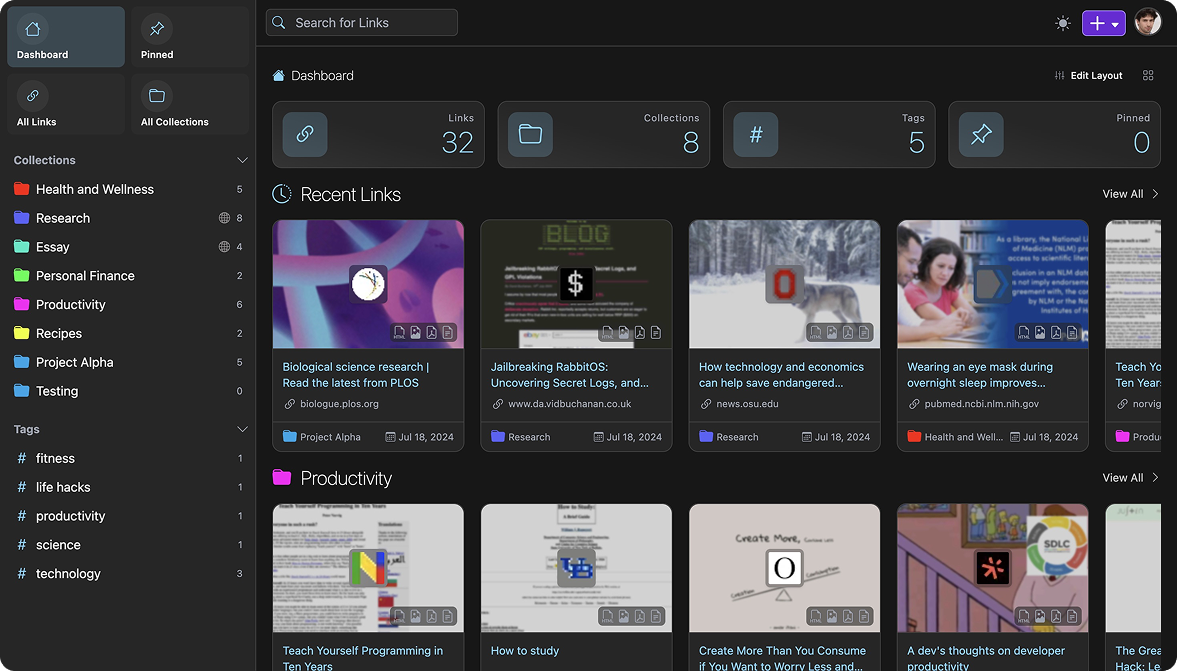
 Linkwarden is een applicatie voor het bewaren en organiseren van artikelen en webpagina's. Het is open source en kan indien gewenst in eigen beheer worden gehost. Niet alleen de link wordt opgeslagen; er wordt ook een screenshot en pdf-document bewaard, voor het geval de pagina niet meer beschikbaar is. Ook is het mogelijk om aantekeningen toe te voegen of delen uit te lichten. Meer informatie over het programma kan hier worden gevonden. Versie 2.15 is uitgekomen en de releasenotes daarvan kunnen hieronder worden gevonden.
Linkwarden 2.15
Today, we’re excited to announce that Linkwarden is getting one of its largest mobile updates so far, along with a web app that’s much lighter to run. For those who are new here, Linkwarden is a tool for collecting, organizing, reading, and preserving webpages, articles, and documents in one place. Linkwarden is available as a Cloud offering, or you can self-host it on your own server.
What's new on mobile:
Highlight and annotateYou can now highlight text in the reader view, pick from four colors, and attach a note to any highlight. There's also a new Notes & Highlights view per article which lets you skim what you've marked and jump to it in the text.
True offline modePreviously, the app only saved preserved formats for links you had already opened. Now, you can turn on Save for offline access in the settings, and the app will download every preserved format in the background as you browse.
Link details sheetLong-press any link to open Link Details, which shows all the information about a link in one sheet, similar to the web app.
Customizable reader viewAdjust font, text size, line height, and background color as you read.
What's new on the web:
Much lower memory usageLinkwarden 2.15 roughly halves idle memory usage, from around 700 MB down to about 350 MB. It's worth mentioning that after a heavy workload, memory may stay higher because the runtime keeps previously allocated memory ready for reuse. This is expected and is not a memory leak. If you don't need webpage preservation, setting
DISABLE_BROWSER=trueskips that work entirely, keeping the instance right at the ~350 MB mark. Otherwise, for a leaner setup, you can use:MALLOC_ARENA_MAX=2 NODE_OPTIONS=--max-old-space-size=400 ARCHIVE_TAKE_COUNT=1These settings limit memory pools, cap the app's heap, and preserve one link at a time to keep spikes smaller.
A much smaller Docker imageThe Docker image has also been cut in half, dropping from roughly 3.0 GB to 1.5 GB.
Generic OIDC providerSelf-hosters can now connect any OpenID Connect identity provider. Check it out in the docs!
Increased securityA good chunk of this release went into security hardening. We strongly recommend updating to 2.15.
There's more...
As always, there's a long tail of smaller improvements across the web and the mobile app.
Full Changelog: v2.14.1...v2.15.0

:strip_exif()/i/2008252678.png?f=thumbmedium)
/u/225970/crop6a83edd9a7c75_cropped.png?f=community)
/u/94596/crop6ac4baab4c648_cropped.png?f=community)
 ).
).
:strip_exif()/u/85941/crop6aa41029bc4ad_cropped.gif?f=community)
/u/176086/crop5f0823fa5e8d6_cropped.png?f=community)

:strip_icc():strip_exif()/u/207277/avatar2080_3.jpg?f=community)
/u/373849/cowava2.png?f=community)