 Versie 2026.2.2 van UniGetUI is uitgekomen. Dit programma wordt tegenwoordig door Devolutions uitgegeven, bekend van onder meer Remote Desktop Manager en diverse andere beveiligingsproducten, en dient als grafische gebruikersinterface voor de bekendste softwarebeheerprogramma's, waaronder Winget, Chocolatey, Scoop, Pip en Npm. Met die packagemanagers kan software vanaf de commandline worden geïnstalleerd, bijgewerkt en verwijderd worden en UniGetUI maakt dat dus eenvoudiger. Het programma is opensource, beschikbaar voor Windows, Linux en macOS, in veel talen te gebruiken waaronder in het Nederlands, heeft een donker thema en geeft notificaties als er nieuwe versies van geïnstalleerde programma's beschikbaar zijn. De changelog voor deze uitgave ziet er als volgt uit:
Devolutions UniGetUI 2026.2.2This release marks the completion of UniGetUI's migration from WinUI to Avalonia. With the remaining WinUI components and dependencies now removed, UniGetUI is fully powered by Avalonia. This update also brings Windows 11 Snap Layouts support, refined styling throughout the application, improved log viewing, new illustrations, and significantly smaller release packages.
HighlightsUser Interface Improvements
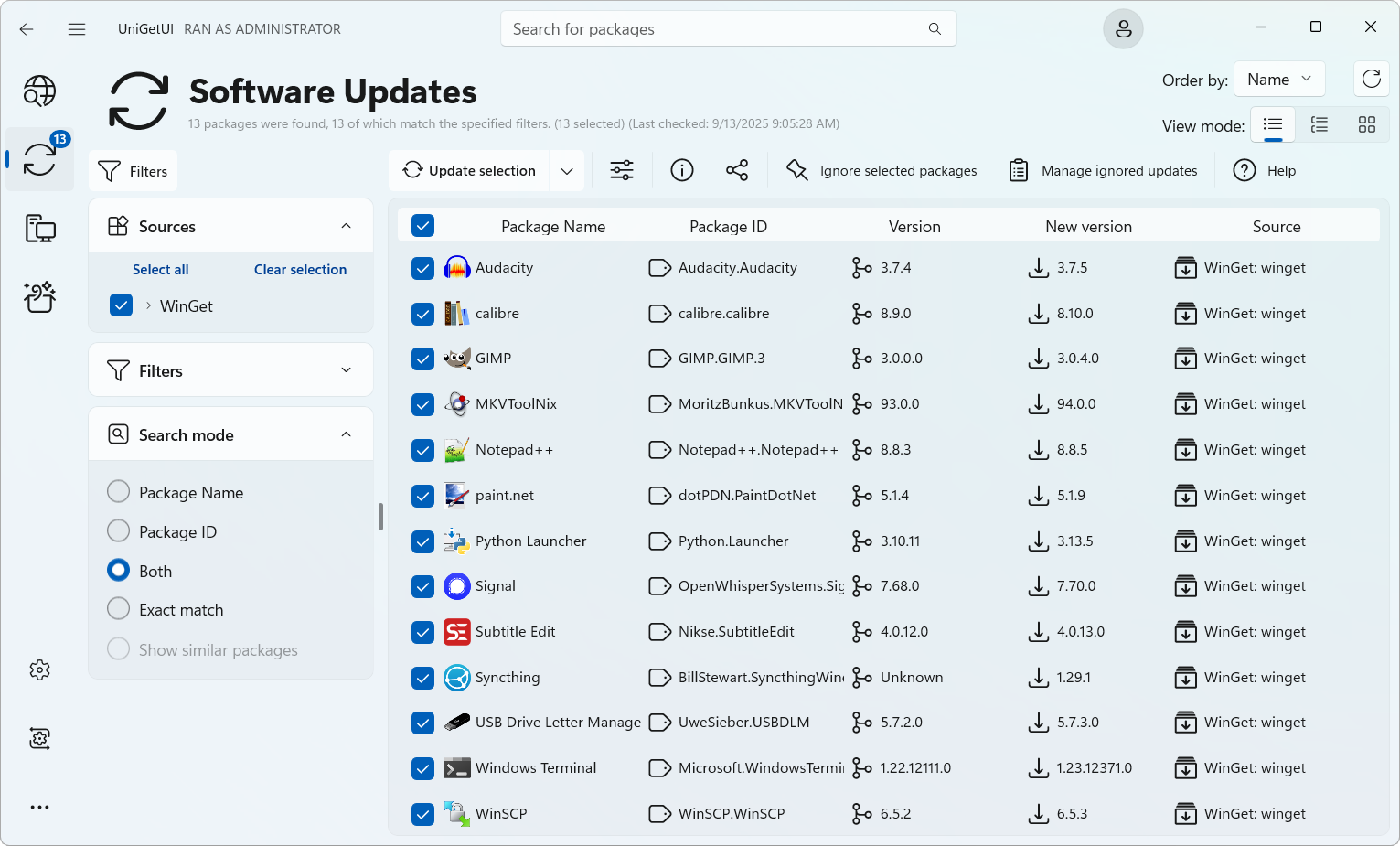
- Further refined the Avalonia user interface to better match WinUI styling and behavior across package lists, navigation elements, dialogs, and controls.
- Added support for Windows 11 Snap Layouts when hovering the maximize button, matching the behavior of native Windows applications.
- Added illustrations for empty and loading package list states, improving visual feedback throughout the application.
- Improved the operation log window so automatic scrolling no longer interrupts users when reviewing previous log entries.
- Reduced installer and application package sizes, resulting in smaller downloads and a significantly leaner Windows distribution.
Windows Improvements
- Improved package list styling, column headers, backgrounds, hover states, and selection indicators for a more polished and consistent experience.
- Refined sidebar navigation and segmented controls to better align with modern Windows design patterns.
- Improved package tag badges and icon presentation throughout the application.
- Updated several labels, placeholders, and interface elements for improved clarity and consistency.
- Removed the remaining WinUI-specific styling dependencies, further consolidating the application around Avalonia.
Performance & Reliability
- Added native Windows 11 Snap Layouts integration for the maximize button.
- Improved maximize button hover and pressed visual states to more closely match native Windows behavior.
Fixes
- Reduced the size of Windows release packages by removing unnecessary runtime dependencies and optimizing published builds.
- Reduced installer size through improved compression settings.
- Simplified application dependencies and reduced overall maintenance complexity.
Other Changes
- Fixed log output auto-scrolling behavior when manually reviewing previous entries.
- Resolved various UI inconsistencies and styling issues across the Avalonia interface.
- Addressed several minor issues and edge cases throughout the application.
- Dependency cleanup and project maintenance.
- Internal code refactoring and infrastructure improvements.
- Additional test coverage and build pipeline optimizations.

:strip_exif()/i/2007728788.png?f=thumbmedium)
:strip_icc():strip_exif()/u/140070/kalief.jpg?f=community)