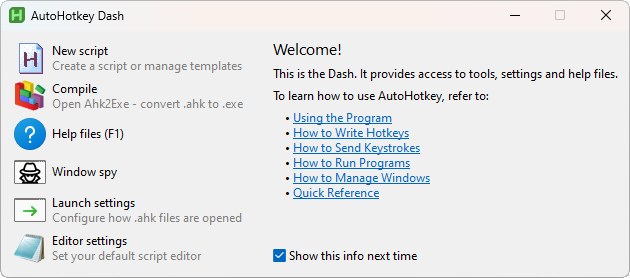
/i/2007310042.png?f=imagenormal) Versie 2.0.20 van AutoHotkey is uitgekomen. Dit programma stelt je in staat om vaak gebruikte toetsaanslagen, handelingen en/of knoppencombo's met toetsenbord en muis in een script achter een sneltoets te zetten, zodat de betreffende handeling in één keer wordt uitgevoerd. Daarbij is het mogelijk om eerder gescripte toetscombinaties van AutoIt2 te converteren naar de scripttaal van AutoHotkey. In deze uitgave zijn de volgende verbeteringen aangebracht:
Versie 2.0.20 van AutoHotkey is uitgekomen. Dit programma stelt je in staat om vaak gebruikte toetsaanslagen, handelingen en/of knoppencombo's met toetsenbord en muis in een script achter een sneltoets te zetten, zodat de betreffende handeling in één keer wordt uitgevoerd. Daarbij is het mogelijk om eerder gescripte toetscombinaties van AutoIt2 te converteren naar de scripttaal van AutoHotkey. In deze uitgave zijn de volgende verbeteringen aangebracht:
Changes in version 2.0.20
- Fixed potential undefined behaviour in message callbacks during script termination.
- Fixed Run not closing the process handle.
- Fixed GuiFromHwnd crashing if passed another script's GUI window HWND.
- Fixed leading space in
For( a in b )incorrectly raising an error.- Fixed enumerator calls (For) treating implicitly returned "" as true.
- Fixed
A_maxHotkeysPerIntervalandA_Hotkeyintervalreturning incorrect values if spelled in lower case.- Fixed FileSelect duplicating the filter pattern if it lacks
*..- Fixed ListBox tab-stop spacing when T option is used during control creation. [PR #346]
- Fixed
~RAlt & <::causingRAlt::to fire on release despite~(and likewise with other L/R modifier keys).- Fixed remap with nonexistent source key causing silent exit.
- Fixed key-up hotkey causing unwanted passthrough when modifiers don't match. e.g. RButton release not being suppressed after activating
RButton::if^RButton up::was also present.- Fixed semicolon in
/* ; */preventing the block comment from ending.- Fixed IsOptional and IsByRef return values for built-in methods.
- Fixed RegWrite parameter 1 to be mandatory.
- Fixed string return value being corrupted during debugging.
- Fixed erroneous
Elseplacement to raise an error, not crash on load.- Fixed StrPut/StrGet handling of 32-bit integer limits on x64.
- Operations not requiring conversion no longer limit string length.
- Conversion now throws more consistently if the API's limit is exceeded.
- Fixed
1::to not fire after1 & LButton up::is used, and similar.- Fixed crash when ListView has the Sort option and Add is called with Col1 omitted.
- Fixed static functions not using static variables of grandparent functions.
- Fixed unpaired key-up hotkey not suppressing the key if it is also used as a prefix but the custom combos are disabled or have the tilde modifier.

:strip_exif()/i/2005529860.png?f=thumbmedium)
:strip_icc():strip_exif()/u/98843/tmpgeel601.jpg?f=community)

:strip_icc():strip_exif()/u/793705/crop57de4b2cc3582_cropped.jpeg?f=community)
:strip_icc():strip_exif()/u/1811628/crop62fbd870b3981_cropped.jpg?f=community)
/u/710404/crop5e9f7de15e964_cropped.png?f=community)
