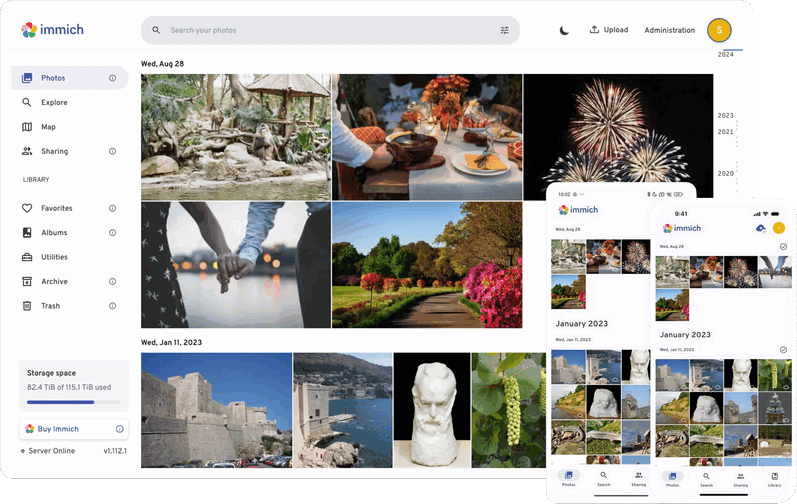
 Versie 2.7.0 van Immich is uitgekomen met meteen een update erachteraan die enkele kleine problemen moet verhelpen. Immich is een opensource oplossing voor het opslaan en beheren van foto's en video's. Het draait in Docker, waardoor je alles in eigen hand hebt en niet afhankelijk bent van een derde partij. Het wordt door velen als een serieuze concurrent van Google Photos en Apple Photos beschouwd. De media kan via een webbrowser worden benaderd en er zijn ook apps voor Android en iOS. Een demo van Immich is hier te vinden. Hieronder zijn de belangrijkste veranderingen die we in deze uitgave aan kunnen treffen voor je op een rijtje gezet:
Immich 2.7.2 addresses the following issues:
- Fix an issue with the default helmet.json file
- Fix an issue with ML containers not working on some older CPUs
- Fix an issue with importing external libraries
Immich v2.7.0This release includes enhancements to the asset viewer, security improvements, changes to the duplicate APIs and viewer, and a bunch of bug fixes. Keep reading below for the complete highlights and a note on the upcoming
v3.0.0release.Note: we're working on a managed backup service for Immich with end-to-end encrypted backups of your library to a remote datacentre where only you hold the keys.
We've put together a quick survey (~5 mins) to get a better idea of how you're backing things up today and what you'd actually want from something like this. Your answers help us figure out what to prioritise, so we'd really appreciate it if you took a few minutes to fill it out. Leave your email at the end if you're interested in joining our free closed beta when it's ready.
HighlightsRemove from album
- Remove from album (asset viewer)
- Move to locked folder (folder page)
- Editor shortcuts
- Create a new face on-the-fly in the face tag editor
- Resolve duplicates
- Helmet configuration
- Version check infrastructure
- Notable fix: live photo and video download in Safari
- Notable fix: escape HTML in the Panorama Photo Viewer
The web has a new action, "Remove from album," available in the asset viewer that makes it easier to remove an asset from an album. This action is available to both album and asset owners.
Move to locked folder in the Folder viewSimilarly, the folder view now includes the "Move to locked folder" action.
Editor shortcutsUsers on the web can now edit with keyboard shortcuts. Press
Create a new face on-the-fly in the face tag editoreto open the editor. Once in the editor, press[or]to rotate the asset +/- 90 degrees. Finally, save any changes and close the editor withENTER.You can now create a new face/person on the fly from the face tagging editor interface
Deduplication improvementsThe duplicate screen has gone through a bunch of iterations since it was first introduced all the way back in May, 2024. The latest release moves a bunch of logic from the client to the server, which now automatically suggests which asset to keep based on image size and EXIF data. Additionally, the new server implementation will automatically synchronize metadata, including albums, favorite status, rating, description, visibility, location, and tags. For more information about this process, see the new documentation.
Helmet configurationYou can now opt in to using a Content Security Policy (CSP) in Immich. The new environment variant
IMMICH_HELMET_FILEaccepts a boolean or a path to a helmet configuration file.Recommend action: The team recommends setting
Background and detailsIMMICH_HELMET_FILE=trueto enable the default policy. Then, please let us know if you run into any issues with it.Since Immich is deployed in so many different ways, it has been hard to figure out how to enable a CSP that would not conflict with or break existing installs that might use 3rd party map providers, custom CSS, embed Immich in an iframe, or other such features. In this release, we have added the ability to both opt in to a default policy and configure a custom one. To use the default policy, simply set the environment variable
New version check infrastructureIMMICH_HELMET_FILE=true. To use a custom policy, set the environment variable to a path on disk (within the immich-server) that contains a valid helmet configuration (e.g.IMMICH_HELMET_FILE=/opt/immich/helmet.json). CSP can be used to control what scripts are allowed to run on the page, which domains to load images from, etc. Additionally, it can be used to configure headers for Referrer-Policy, X-Powered-By, X-Frame-Options, and others.Prior to this release, instances that used the automatic version check feature would send HTTP requests to
Notable fix: live photo and video download in Safarigithub.com. Now, we have set up a small service atversion.immich.cloudto handle these types of requests. This avoids any privacy implications of connecting togithub.com, as well as moves the request load to our own infrastructure.When downloading files in Safari with the same name, it will simply overwrite the file instead of automatically renaming it. In this release, the still and motion parts of a live photo are now named differently to prevent this from happening.
Notable fix: escape HTML in panorama photo viewerIn
Notable fix: Immich User Agent for external requestsv2.6.0, we added the ability to show/view clip text in the panorama viewer, but introduced an XSS vulnerability, which has been fixed in this release. Interestingly, this was XSS using text in the image, which would then get read by OCR.Similar to the mobile app, the server now sends a custom User Agent header. The format for the User Agent is
immich-server/{version}. For example,immich-server/2.7.0.v3.0.0Just a heads up that this is the likely to be the last release before
v3.0.0. Being a major release there will be a handful of breaking changes, although it's worth noting that nothing is currently planned that requires user intervention. It is mainly changes that impact 3rd party developers. More information and details should be available in the coming weeks.

:strip_exif()/i/2007505872.png?f=thumbmedium)
:strip_icc():strip_exif()/u/54374/kite.jpg?f=community)

:strip_exif()/u/264294/crop5761a1de95d4c_cropped.gif?f=community)
:strip_icc():strip_exif()/u/122857/Ed.jpg?f=community)

/u/64204/crop5e333d1575fff.png?f=community)

/u/317385/crop5de254a3e0024_cropped.png?f=community)
:strip_icc():strip_exif()/u/344853/crop5eaa8fce92136_cropped.jpeg?f=community)