
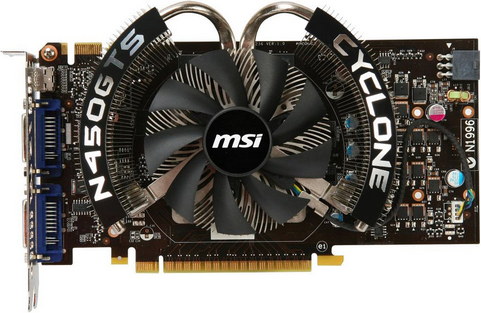
Nvidia heeft een nieuwe set GeForce/Ion-drivers uitgebracht en wegens de grote hoeveelheid veranderingen wordt deze vooralsnog als bèta aangeboden. De drivers zijn geschikt voor de GeForce 6-, 7-, 8-, 9-, 100-, 200-, 300- en 400-series, en de Ion-gpu's en hebben versienummer 260.89 meegekregen. Uitvoeringen zijn beschikbaar voor Windows XP, 2003 Server, Vista en 7, in zowel de 32bit- als de 64bit-uitvoering. Nieuw in deze release is ondersteuning voor de GeForce GTS 450 en 3d-blu-ray-video's. Verder is de installer verbeterd en zijn diverse prestatieverbeteringen waar te nemen. Hieronder is het volledige changelog van deze release te vinden.
New GPU SupportPerformance
- Adds support for the newly released GeForce GTS 450 GPU.
Increases performance for GeForce GTX 400 Series GPUs in several PC games vs. v258.96 WHQL drivers. The following are examples of some of the most significant improvements measured on Windows 7. Results will vary depending on your GPU and system configuration:Blu-ray 3D
- GeForce GTX 480:
- Up to 10% in StarCraft II (2560x1600 4xAA/16xAF Ultra)
- Up to 14% in S.T.A.L.K.E.R.: Call of Pripyat (1920x1200 4xAA/16xAF)
- Up to 16% in S.T.A.L.K.E.R.: Call of Pripyat (SLI – 2560x1600 4xAA/16xAF)
- Up to 6% in Aliens vs. Predator (SLI – 1920x1200 noAA – Tessellation on)
- GeForce GTX 460:
- Up to 19% in StarCraft II (SLI – 1920x1200 4xAA/16xAF Ultra)
- Up to 15% in Battlefield Bad Company 2 (SLI – 2560x1600 4xAA/16xAF)
- Up to 12% in S.T.A.L.K.E.R.: Call of Pripyat (2560x1600 noAA)
- Up to 9% in Aliens vs. Predator (1680x1050 4xAA/16xAF – Tessellation on)
- Up to 7% in Metro 2033 (1680x1050 noAA – Tessellation on)
- Up to 11% in Dirt 2 (SLI – 2560x1600 4xAA/16xAF)
- Up to 12% in Crysis:Warhead (SLI – 1920x1200 4xAA/16xAF Gamer)
- Up to 13% in Far Cry 2 (2560x1600 4xAA/16xAF)
- Up to 12% in H.A.W.X (SLI – 1920x1200 4xAA/16xAF SSAO Very High)
- Up to 5% in Just Cause 2 (1920x1200 4xAA/16xAF)
- Up to 22% in Riddick: Assault on Dark Athena (1920x1200 noAA)
- Up to 5% in 3DMark Vantage (Extreme Preset)
HD Audio
- Adds support for playing back Blu-ray 3D discs when connecting your GPU to an HDMI 1.4 3D TV. Playback requires compatible software application from CyberLink, ArcSoft, Roxio, or Corel. For more information, NVIDIA Blu-ray 3D website.
Installation
- Adds lossless DTS-HD Master Audio and Dolby TrueHD audio bitstreaming support for compatible Blu-ray movies with GeForce GTX 460 GPUs*.
- Adds high definition 24-bit, 96 and 192 KHz multi-channel audio sampling rate support for compatible Blu-ray movies with GeForce GTX 400 Series ,GT 240, GT 220 and 210 GPUs*.
- Upgrades HD Audio driver to version 1.1.9.0.
Note: A Blu-ray movie player update may be required to enable these new features; check with your movie players software manufacturers for more details.These features are only supported on Windows 7.NVIDIA Surround
- New driver installer with enhanced user interface and new Express and Custom installation options.
- Express – fast and easy one-click installation
- Custom – customized installation
- Option to perform a clean installation (completely removes older drivers from your system prior to installing the new driver).
- Option to choose which driver components (ie. PhysX or 3D Vision) to install.
- Improved installation time for multi-GPU PCs.
NVIDIA 3D Vision
- Updated NVIDIA Surround setup wizard
- After first setup, wizard allows users to jump to any setup step.
- Improved display connection diagrams and tooltips.
- Improved UI for setup and arrangement of displays.
- Improved bezel correction setup experience.
- Adds help page to highlight which in-game resolution to select (e.g. how to pick bezel corrected resolutions)
- Option to dedicate an extra GPU to PhysX or to drive an additional display.
- Allows for portrait or landscape setup directly from the setup wizard.
- Updated 3D Vision Surround and NVIDIA Surround game support list. Please visit the 3D Vision Surround web page for a full list of supported games.
Other Improvements
- With Release 260 drivers, the installation process for 3D Vision has changed.
- Please view this knowledgebase article for more information on the changes.
- Adds NVIDIA 3D Vision streaming support for Firefox 4 and Google Chrome web browsers.
- Adds support for Sony’s 3D Sweep Panorama picture format added to NVIDIA 3D Photo Viewer (Sony digital cameras that can capture 3D Sweep Panorama pictures include NEX-5/NEX-3, Alpha a560/a580 and Cyber-shot DSC-WX5/DSC-TX9/DSC-T99 models).
- Adds support for new 3D Vision Desktop LCD monitors: BenQ X2410 and NEC F23W2A
- Adds support for new 3D Vision projectors: Sanyo PDG-DWL2500 and ViewSonic PJD6251
- Added the following 3D Vision game profiles:
- Arcania: Gothic 4
- Fallout: New Vegas
- FIFA 11
- Formula 1 Racing
- Final Fantasy XIV Benchmark
- Guild Wars 2
- Kane & Lynch 2 – Dog Days
- Lead and Gold
- Lego Harry Potter
- Live For Speed
- Lost Planet 2
- Moonbase Alpha
- Serious Sam HD – The Second Encounter
- Shrek Forever After
- Singularity
- Vitua Tennis 2009
- Virtua Tennis 3
- Update the following 3D Vision game profiles:
- Drakensang: The Dark Eye – updated in-game compatibility text
- Mafia II – updated profile to properly for 3D Vision-Rating
- StarCraft II – fixed profile to properly recognize the retail game executable name and match the 3D Vision rating of “Good”
- Super Commander – fixed HUD elements
- TRINE – new profiles fixes that allow the game to be rated “3D Vision-Ready” when used with the TRINE patch v1.08, available via Steam.
Additional Information
- Upgrades PhysX System Software to version 9.10.0514.
- Improves compatibility for older PC games (DirectX 7 to DirectX 9) running on Windows 7 (examples: Gothic, Gothic II, Falcon 4.0: Allied Force, Links 2003, Independence War II - Edge of Chaos, and X2: Wolverine's Revenge).
- Adds drag and drop display arrangement support to the “Set up multiple displays” page.
- Includes numerous bug fixes. Refer to the release notes on the documentation tab for information about the key bug fixes in this release.
- Users without US English operating systems can select their language and download the International driver here.
- Supports the new GPU-accelerated features in Adobe CS5.
- Supports GPU-acceleration for smoother online HD videos with Adobe Flash 10.1. Learn more here.
- Supports the new version of MotionDSP's video enhancement software, vReveal, which adds support for HD output. NVIDIA customers can download a free version of vReveal that supports up to SD output here.
- Supports DirectCompute with Windows 7 and GeForce 8-series and later GPUs.
- Supports OpenCL 1.0 (Open Computing Language) for all GeForce 8-series and later GPUs.
- Supports OpenGL 3.3 for GeForce 8-series and later GPUs.
- Supports single GPU and NVIDIA SLI technology on DirectX 9, DirectX 10, DirectX 11, and OpenGL, including 3-way SLI, Quad SLI, and SLI support on SLI-certified Intel X58-based motherboards.
- Supports GPU overclocking and temperature monitoring by installing NVIDIA System Tools software.
De volgende downloads zijn beschikbaar: nVidia ForceWare 260.89 bèta voor Windows XP (32bit)nVidia ForceWare 260.89 bèta voor Windows XP en Server 2003 (64bit)nVidia ForceWare 260.89 bèta voor Windows Vista en 7 (32bit)nVidia ForceWare 260.89 bèta voor Windows Vista en 7 (64bit)

:strip_exif()/i/2004695578.png?f=thumbmedium)

:strip_icc():strip_exif()/u/300441/blabla.jpg?f=community)
 Op dit moment komt nog de melding File not found, maar zal wel vrij snel live zijn
:strip_icc():strip_exif()/u/21673/crop65674aee06c6d_cropped.jpg?f=community)
:strip_exif()/u/7944/r-on.gif?f=community)

:strip_icc():strip_exif()/u/116283/crop5814e3224425d_cropped.jpeg?f=community)

:strip_icc():strip_exif()/u/279269/crop5d9b0170df717_cropped.jpeg?f=community)
:strip_icc():strip_exif()/u/343344/159526011770916661_6qPcZlSa_f-KLEIN%2520Tweakers.jpg?f=community)

